- Administrators and Site Staff with the Study Schedule Design & Management Extended Permission
Overview
The study schedule is the detailed plan of the clinical trial, outlining all planned visits, procedures, and timelines for each participant. It serves as the foundational roadmap for study conduct and completion. It allows you to define the structure of your trial, including phases or groups, visits, and activities.
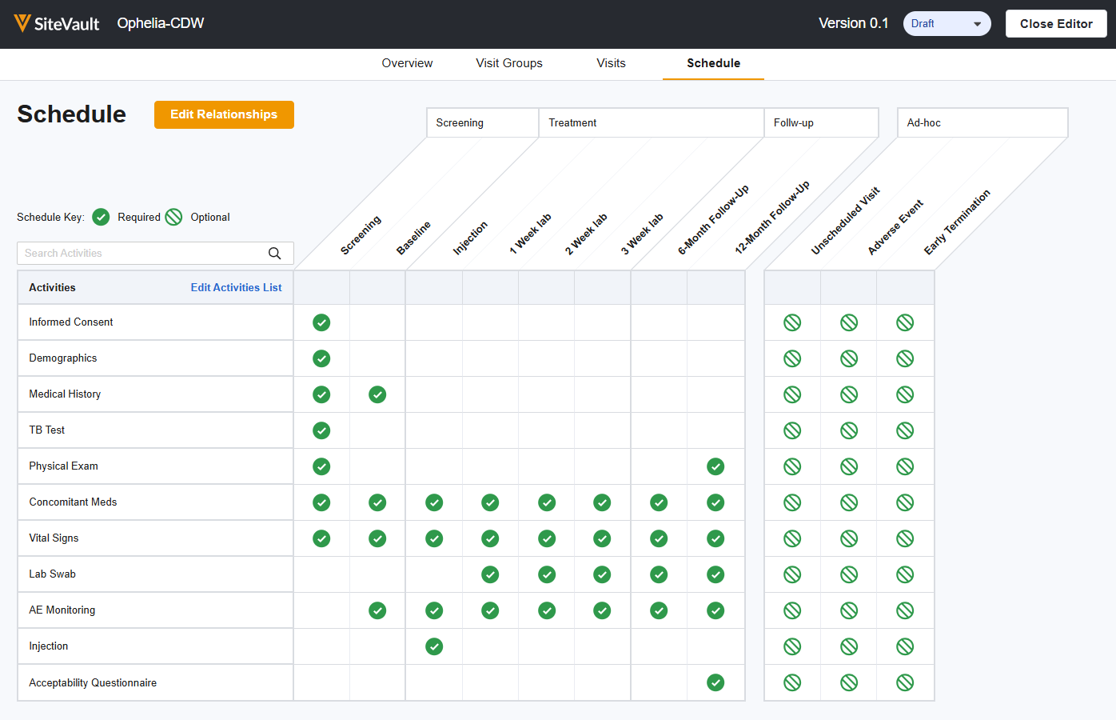
Study schedules are version-controlled, allowing you to apply changes as needed. The version with the Current status is applied to new participants by default. In most cases, existing participants should be updated to the current schedule.
Access the Study Schedule
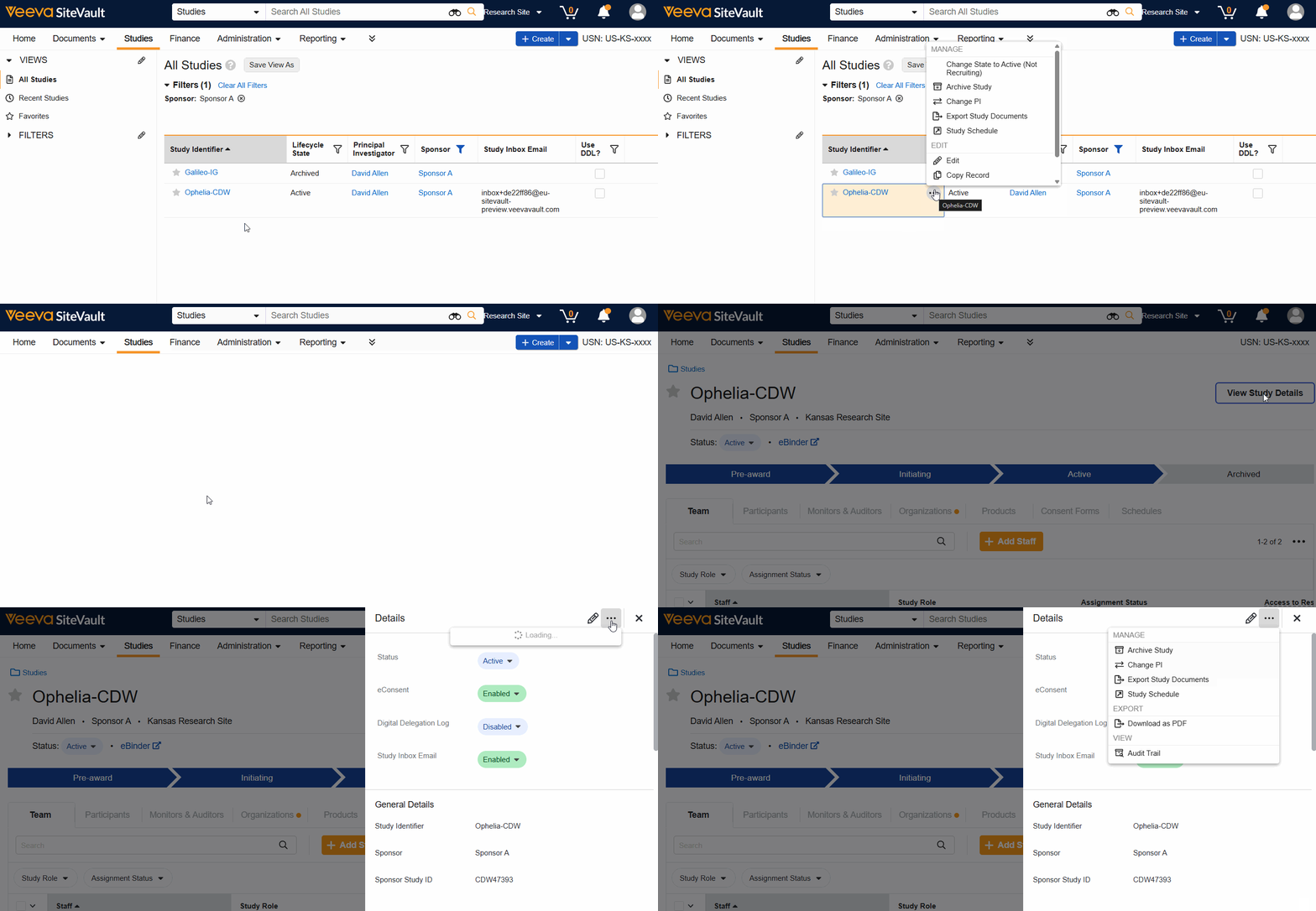
To open the Study Schedule, complete the steps below:
- Navigate to Studies > Select Study.
- Select View Study Details.
- Select Study Schedule from the Actions menu.
The schedule can be accessed from the Studies List, the View Study Details button, or the study’s Schedule tab.
Create a Schedule and Access the Schedule Overview
To create a schedule, complete the steps below:
- Navigate to Studies > Select Study.
- Select View Study Details.
- Select Study Schedule from the Actions menu.
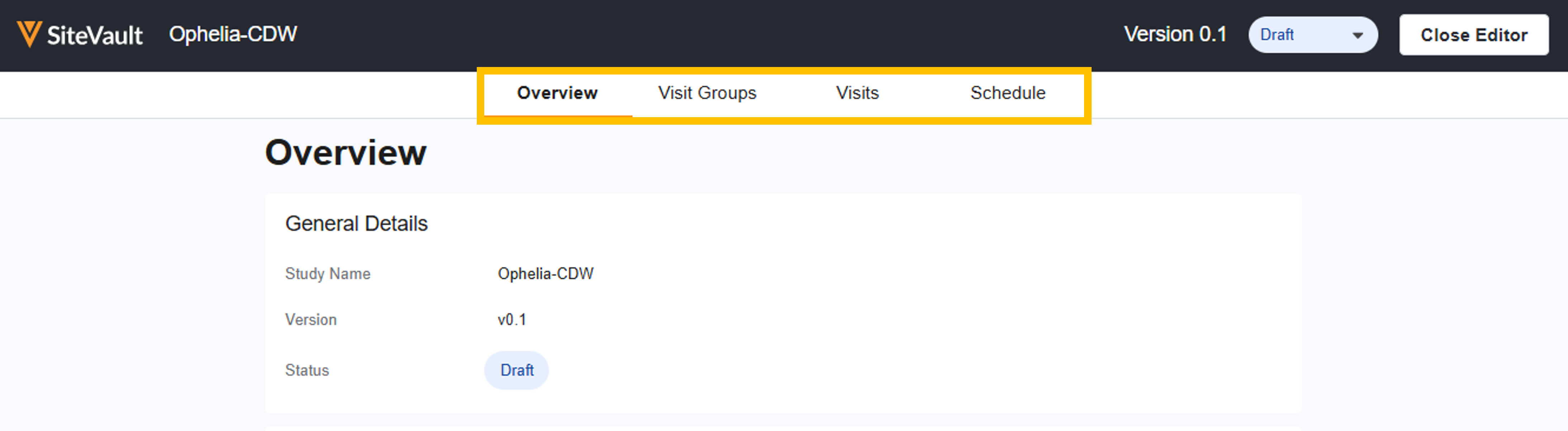
- Select Create New Draft (or Edit if editing an existing version).
- Select the edit icon to update the Version Details:
- Protocol Document: Link the protocol document that is associated with this study.
- Protocol Version: Select the version of the document that is associated with this version of the schedule.The current approved version will populate by default.
- Description: Include any helpful information about this version of the schedule.
- Arms: Create the study arms that are associated with this version of the schedule. Once defined, the Visit Group Diagram will offer the ability to add the arms to branches.
Note Study Schedules and Budgets are versioned independently. When a new version of the schedule is made Current, billable items for participants will automatically generate based on the new schedule's activities, even if a new budget version is not created. However, if a schedule change impacts the items you intend to bill for, or how much you should be paid, always create a new budget version.



