Who can complete this task?
- Administrators
Activity Library & Activity Templates
The Activity Library enables you to establish a standardized list of study activities (e.g., Informed Consent, Vital Signs, Venipuncture). Standardizing activities speeds up schedule creation and ensures consistent cross-study financial reporting.
Creating Activity Templates in Administration
- Navigate to Administration > Activity Templates.
- Select + Create.
- Enter the Name of the Activity Template. Note that once an Activity Template is added to a study schedule, its name cannot be edited within that specific study schedule.
- Optionally, check Add by default to new study schedules if this activity should automatically populate whenever a new study schedule draft is created.
- Select Save. The record is created.
- Optionally, expand the Charge Codes section to associate billing charge codes to the template. For more information, see Map Charge Codes to Activities.
Create Activity Templates from a Study Schedule
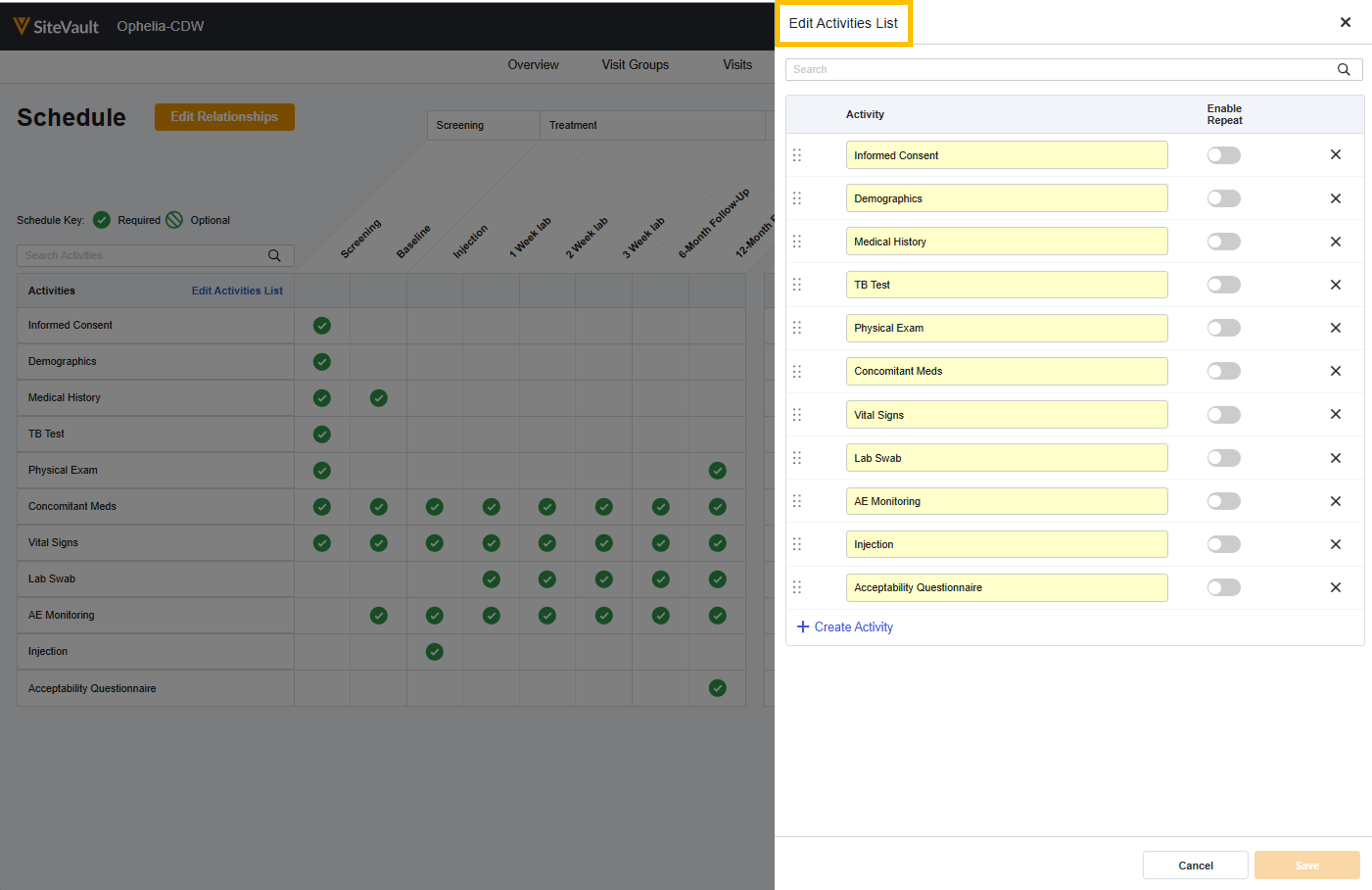
You can add Activity Templates to the Activity Library while editing Activities in the Schedule Editor. While this process is ideal for the ad hoc custom Activity that may come up, this tool can also be used as a shortcut when creating your initial library entries (and you already have Activities added to a schedule).
- Navigate to a Study Schedule (in the Draft state) and open the Schedule Editor.
- Select Schedule.
- Select Edit Activities List.
- Select the Activity’s Action Menu (…)
- Select Add to Activity Library.
- Optionally, update the Name as it should appear on the template. Note that once an Activity Template is added to a study schedule, its name cannot be edited within that specific study schedule.
- Optionally, check Add by default to new study schedules if this activity should automatically populate whenever a new study schedule draft is created.
- Select Save.
- Optionally, you can associate billing charge codes to the template. For more information, see Map Charge Codes to Activities.
Inactivate an Activity Template
Activity Templates that are no longer needed can be inactivated. They will remain as an inactive record in the Activity Library, but cannot be added to a study.
- Navigate to Administration > Activity Templates.
- Select an Activity Template’s Action Menu (…).
- Select Change State to Inactive.