Data Changes
- A Data Change Request (DCR) is necessary when data entered or generated in the system needs to be modified and the user is unable to modify it in the Veeva RTSM system
- Veeva requires the site to complete a DCR form detailing the requested changes
- All DCRs are managed using the Veeva GSC (help desk)
- Veeva prioritizes any urgent DCRs and may execute prior to obtaining a customer signature if a patient is waiting or the patient’s safety is at risk
Data Change Request Process
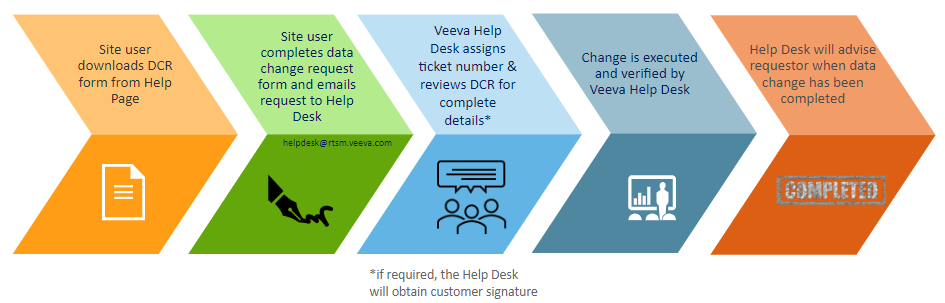
Data Change Request Form
A Data Change Request form is located on the Help page of Veeva RTSM.
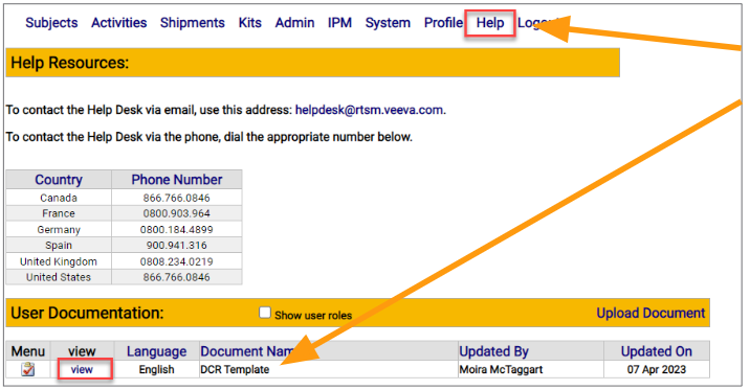
- Navigate to the RTSM Help Page
- Select View to open the study-specific DCR form from the User Documentation section on the Help Page
- A new window will open with the form
- Print the DCR form and legibly write in all required details
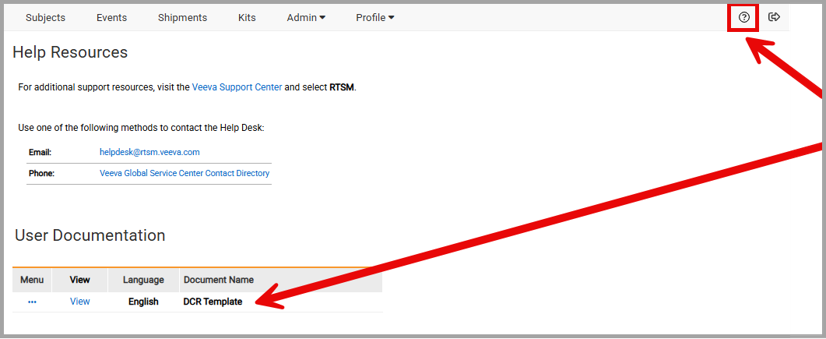
NOTE: The study may have different tabs than that which is displayed above.
System Version 1-4
DCR Approval Requirements
Veeva and the Sponsor/CRO have indicated on the DCR form the types of changes that require Sponsor Approval.
If a signature is required, the change is not run until Veeva collects the customer signature.
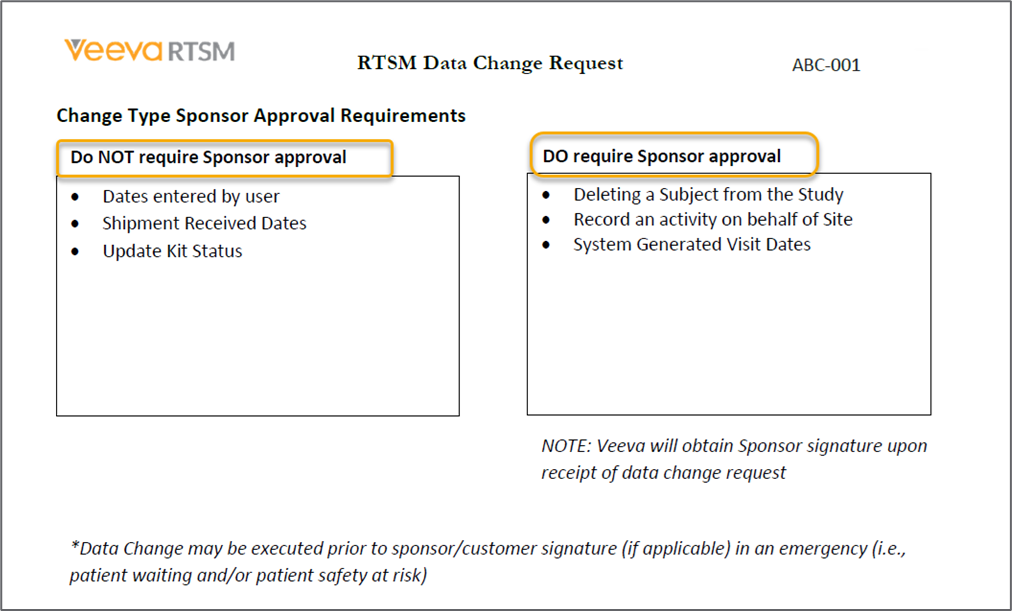
NOTE: Data change types and approval requirements vary by study.
Filling out the DCR Form
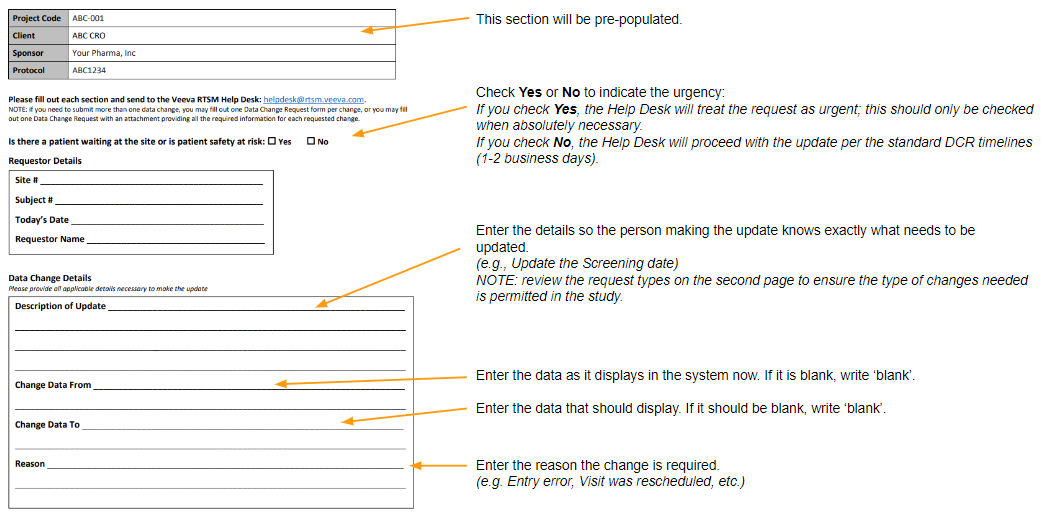
Once the form is filled out completely, email the form to rtsmdcr@veeva.com.