While delegations are assigned at the same time in the Delegations Editor, you can still edit individual delegations. This accommodates delegations that may not start and end at the same time as others. Or delegations that were included at the beginning of a study, but then later deemed unnecessary.
The delegation End Date can also be used when staff is removed from a study team (assignment is inactive) or leaves the site. Updating the end date ensures that the Delegation Log retains a more complete audit trail for the transfer of responsibility.
Date Logic
SiteVault uses automated date logic to keep delegation dates aligned with study team assignments. When a team member’s assignment start or end date changes, their associated delegations with dates outside of their assignment dates update automatically. For example, moving an assignment start date from August 1 to August 5 automatically updates delegations (with earlier start dates) to August 5.
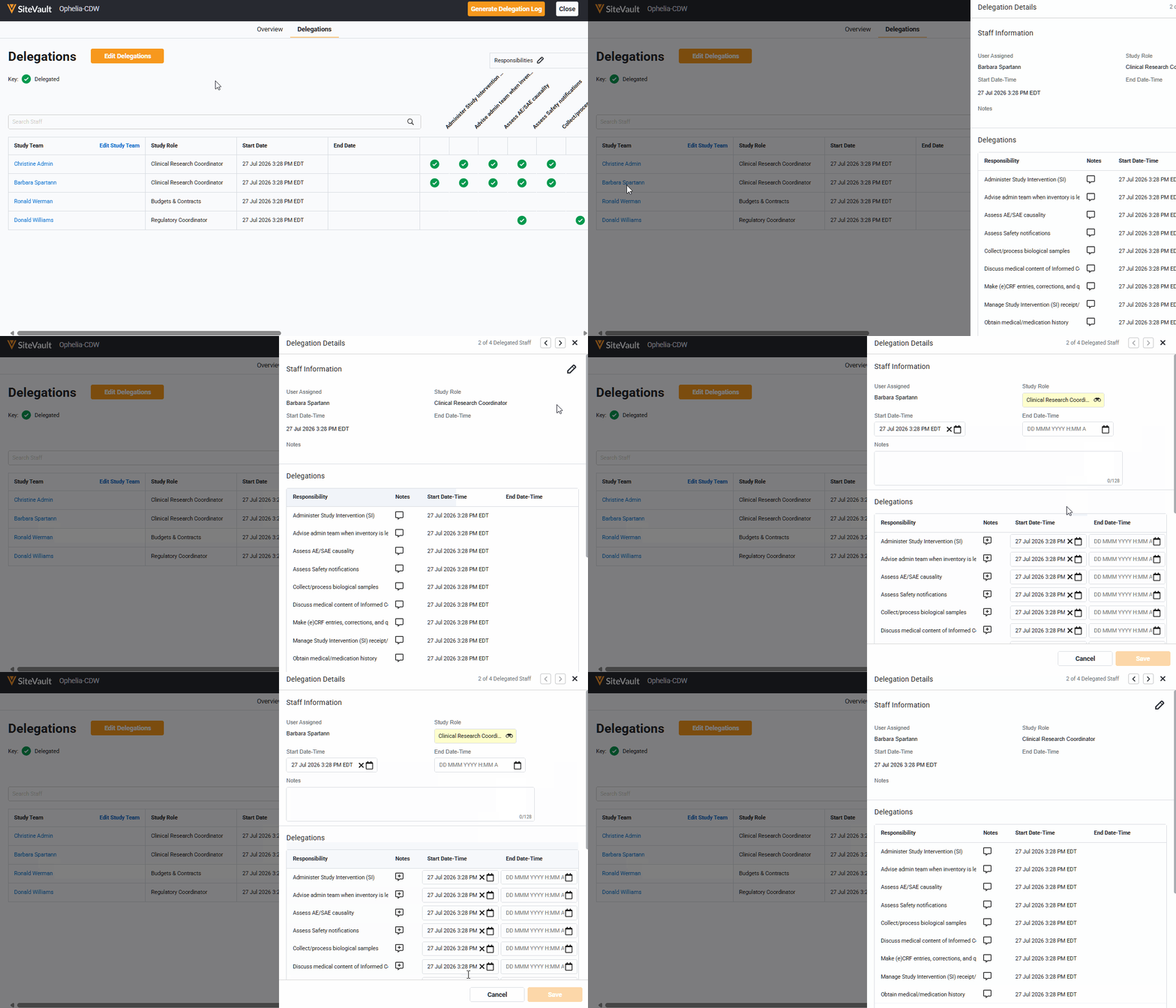
Edit Delegation Start and End Dates
- Navigate to Studies > Team.
- Select Manage Delegations.
- Select the study team staff with delegations to update. This opens the Delegations Details Panel.
- Select Edit (pencil icon).
- Locate the delegation to update.
- Update the Start Date-Time and End Date-Time fields as needed.
- Optionally, add a note.
- Select Save.
