Who can complete this task?
- Administrators and Site Staff with the Financial Management Extended Permission
When enabled on the Study Schedule Overview, the Coverage Analysis tab is revealed within the Study Schedule Editor. These tools allows users to precisely define billing codes and responsibilities for each study activity.
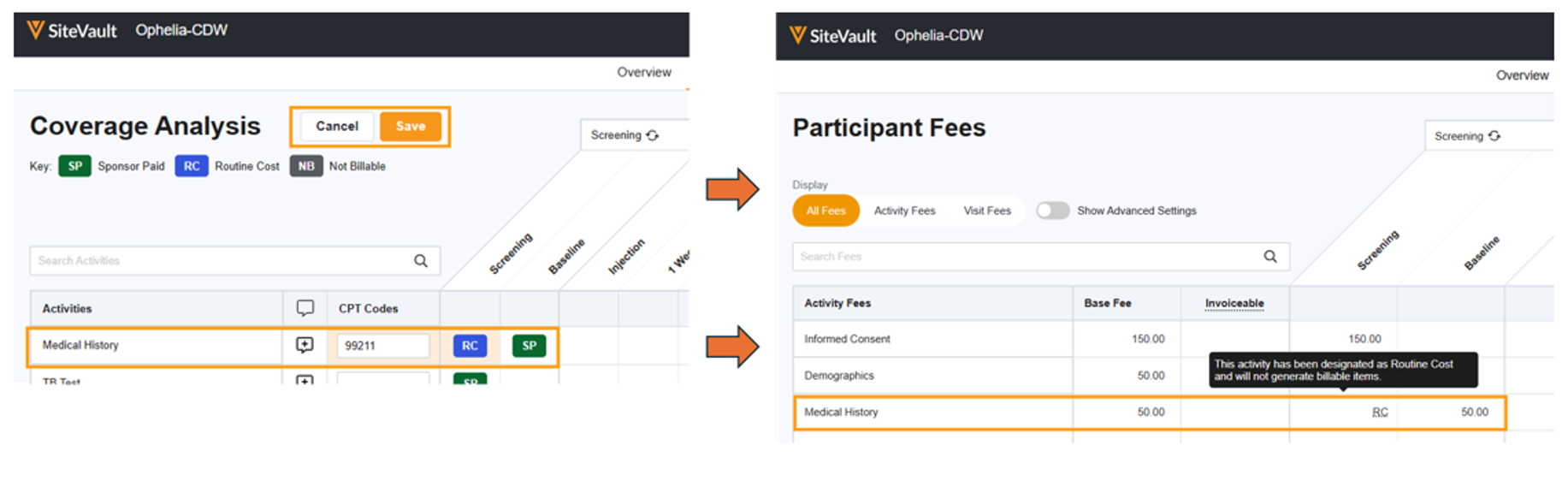
Billing Responsibility Options
Users can select from the following options:
- Sponsor Paid
- Not Billable
- Routine Cost (Q1) Routine clinical service
- Routine Cost (Q0) Investigational clinical service
Charge Codes
The tab also provides a space to capture activity-specific notes and charge codes. For more information on billing codes, see Chargemasters.
Once designations and notes are saved, the system uses this information to update the Budget’s Participant Fees table so that items designated as Routine Cost or Not Billable are not billed to the sponsor.
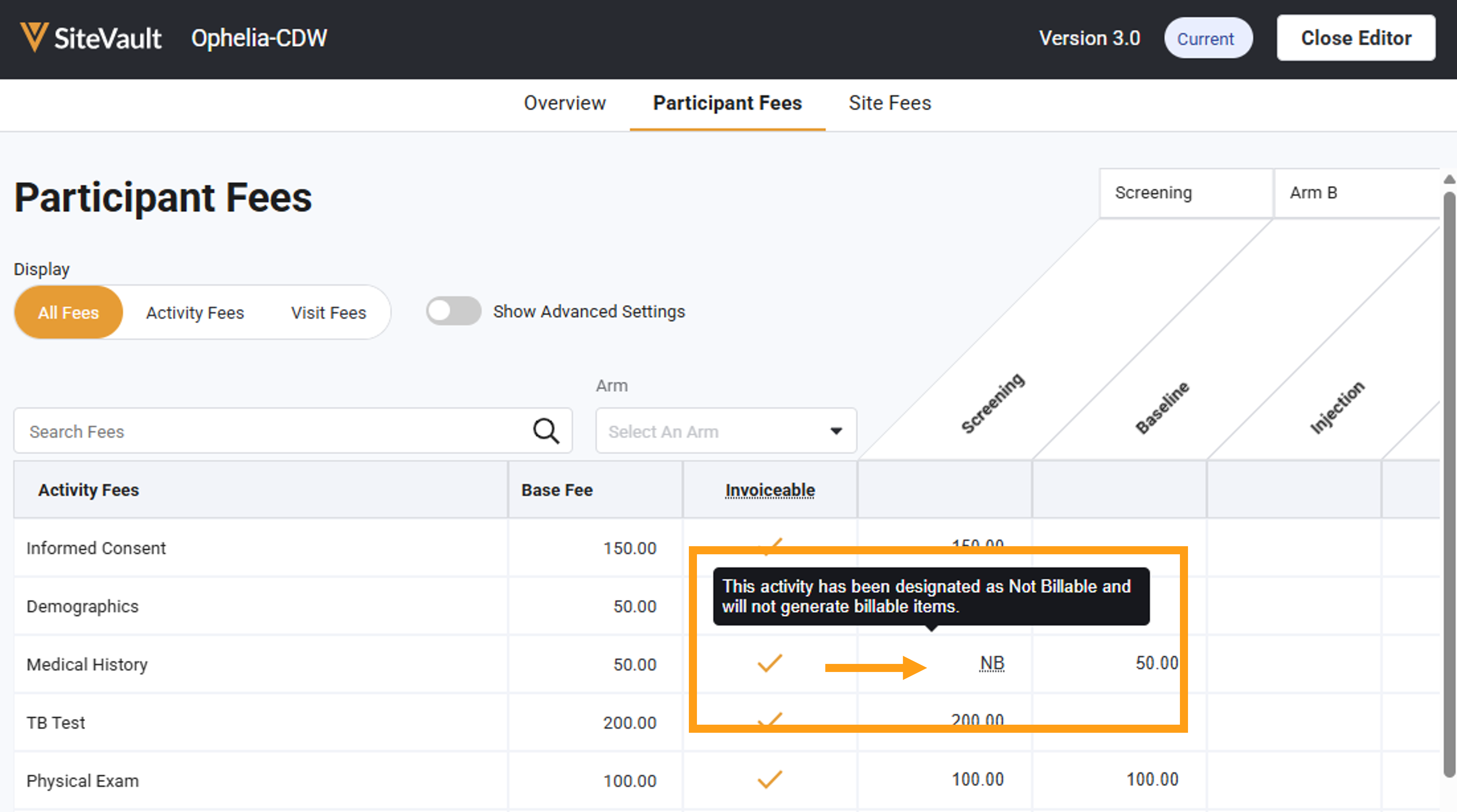
Enable Coverage Analysis
- Access Study Schedule > Overview.
- Select Edit.
- Turn on the Include Coverage Analysis switch.
- Select Save.
Define Billing Responsibilities
Define billing responsibilities as either Sponsor Paid, Routine Cost, or Not Billable.
- Access Study Schedule > Coverage Analysis.
- Select Edit Billing.
- Assign one or more charge codes for each activity, as appropriate.
- For each cell with a responsibility assigned, select the cell and cycle through the options until the correct assignment is displayed. Ensure you have the correct modifier selected for items marked as Routine Cost.
- Optionally, select an activity’s comment icon to add an activity-specific note.
- Select Save.