Who can complete this task?
- Administrators & Site Staff
Complete a Delegation Acceptance Task
Note: Completing a delegation acceptance task does not impact your study team assignment status.
To complete a delegation acceptance task, follow the steps below.
- Access the task from the email notification, My Tasks, or the document.
- Select Continue from the task (or skip step if you’ve accessed the document).
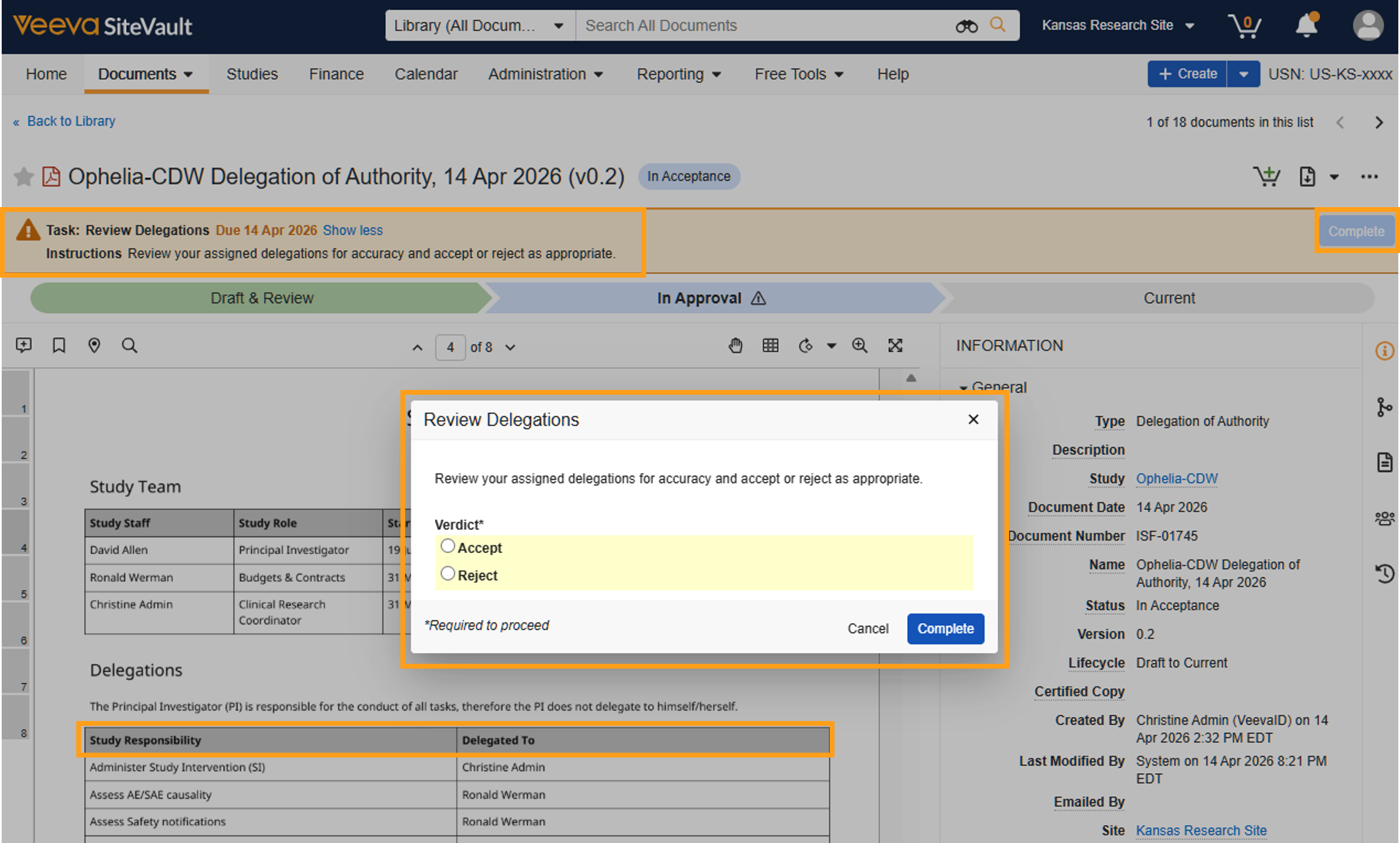
- Review your delegations. The Table of Contents is linked for easy navigation.
- Select Complete.
- Select a verdict to Accept or Reject your delegations.
- If rejecting, provide a reason for the rejection.
- Select Complete.
Staff Acceptance Dates are not included on the Delegation of Authority. Once the log is generated, you can view these via the Audit Trail (All Actions menu) or the document Timeline View (clock icon in right panel). You can also export the acceptance history by exporting the Workflow History Report (All Actions menu).
