Who can complete this task?
- Administrators & Site Staff
Overview
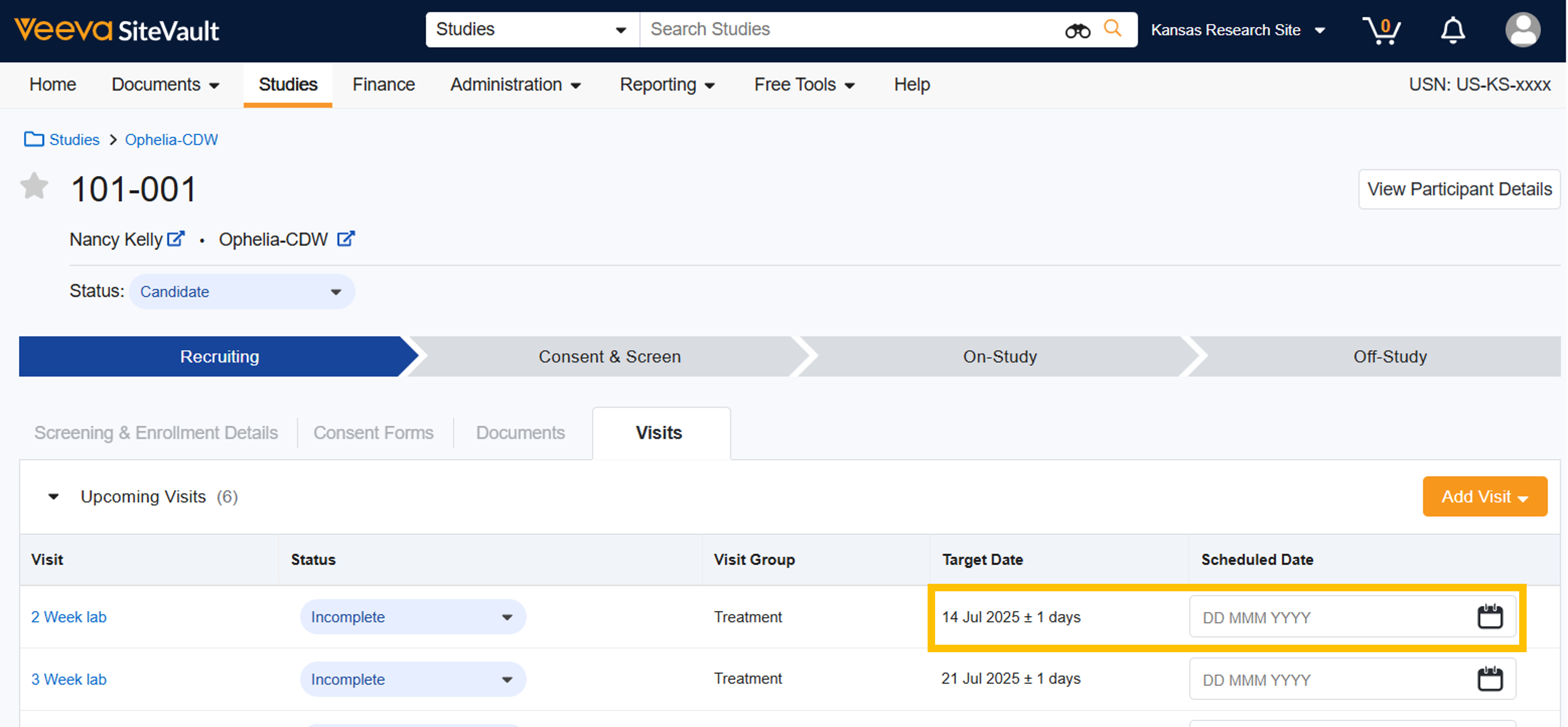
When you’re ready to schedule visits with the participant, you can choose to schedule one or more upcoming visits. To ensure appointments occur within the required timeframes, the future target dates are calculated as you assign scheduled dates and complete visits.

Schedule Visits
To schedule participant visits, complete the following steps:
- Navigate to Studies > Select Study > Participants.
- Select the participant.
- Select Visits.
- If there are no visits listed in Upcoming Visits, you need to add a visit.
- Select the Scheduled Date for the first upcoming visit based on the timeframe represented in the Target Date column.
- Optionally, schedule future visits by repeating the action for upcoming visits.