- Administrators and Site Staff with the Study Schedule Design & Management Extended Permission
Overview
Once all tabs of the schedule are complete and approved, you can update the schedule version’s status. The current schedule is the schedule that is applied to new participants. In most cases, existing participants should be updated to the current schedule.
Note Study Schedules and Budgets are versioned independently. When a new version of the schedule is made Current, billable items for participants will automatically generate based on the new schedule's activities, even if a new budget version is not created. However, if a schedule change impacts the items you intend to bill for, or how much you should be paid, always create a new budget version.
Make Schedule Current
To update the schedule version status, complete the steps below:
- Navigate to Studies > Select Study.
- Select View Study Details.
- Select Study Schedule from the Actions menu.
- Select Edit associated with the schedule version to update.
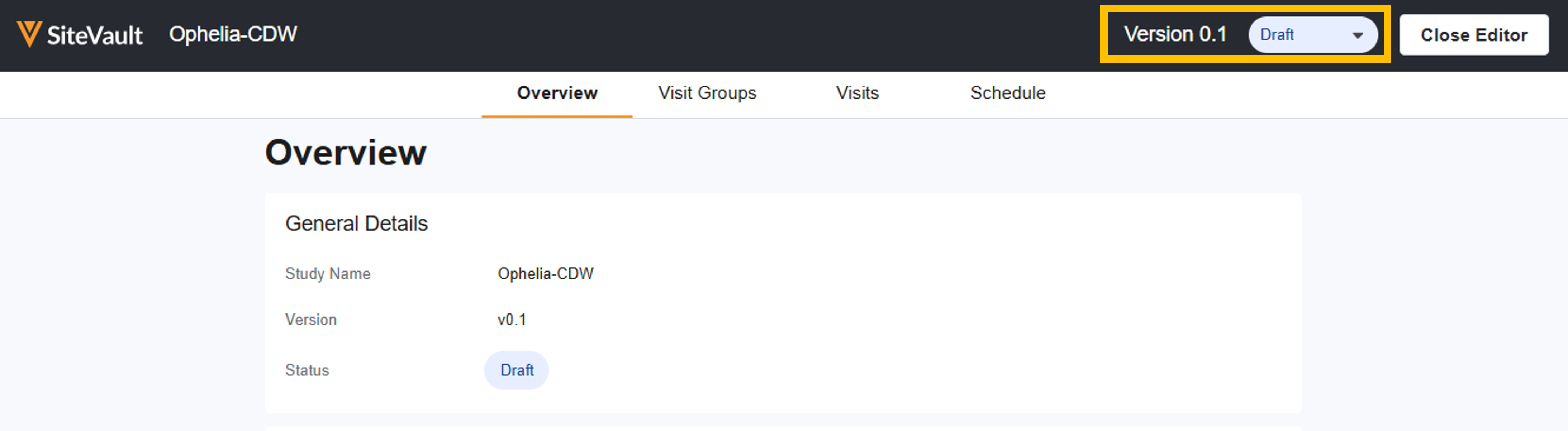
- Select Current from the Status field dropdown. The current schedule is applied to new participants. In most cases, existing participants should be updated to the current schedule.
Schedule Requirements
For a schedule to be made current:
- All visits must include at least one activity.
- All visit groups must have a distinct name.
- All visits within each group must have a distinct name.



