Who can complete this task?
- Administrators
Follow the steps below to create a study. Once created, you can add products, team members, study organizations, products, and monitor or auditor assignments.

- Navigate to the Studies tab.
- Select + Create.
- Enter required and any additional information as needed.
- Select Save to complete the process.
Select View Study Details to reveal saved study information and study feature enablement.
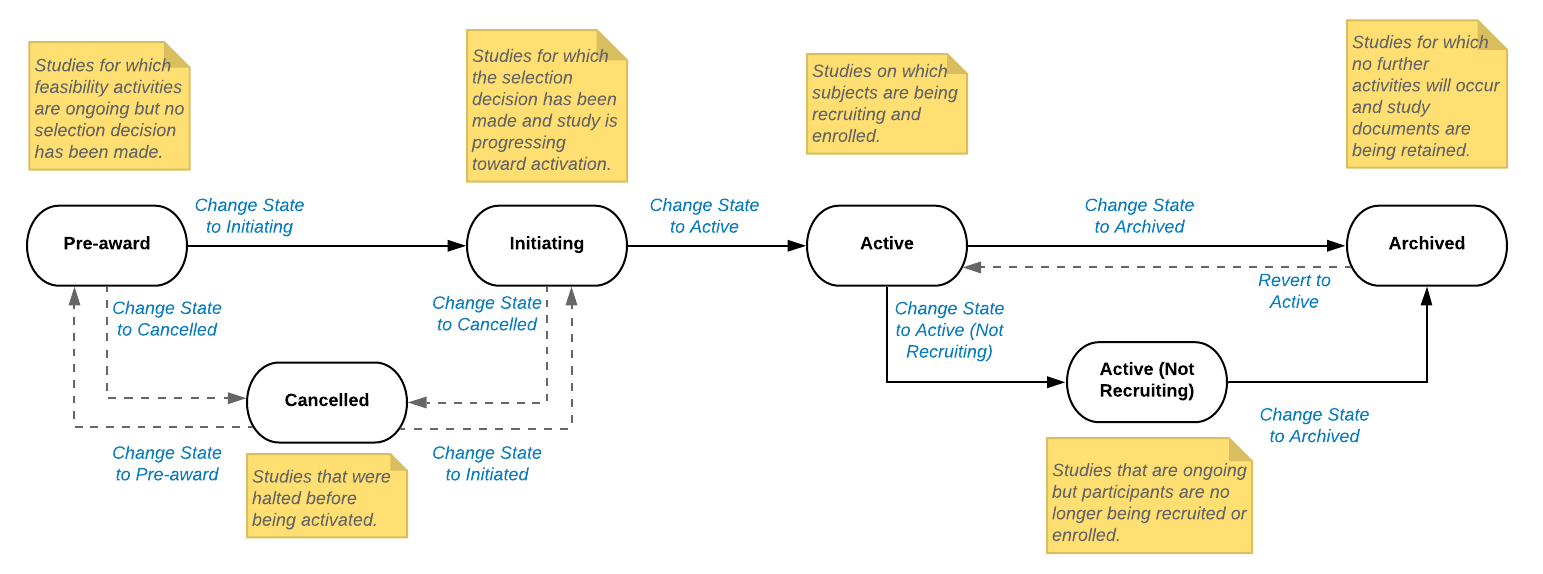
Study Lifecycle
Studies are created in the Pre-award state. From the Pre-award state, you can progress the study to either the Initiating or Cancelled state. For more information on study lifecycle states, select the image below.