You can review acknowledgment history directly within the All Documents view. Each safety document includes dedicated Acknowledged By and Acknowledged Date fields.
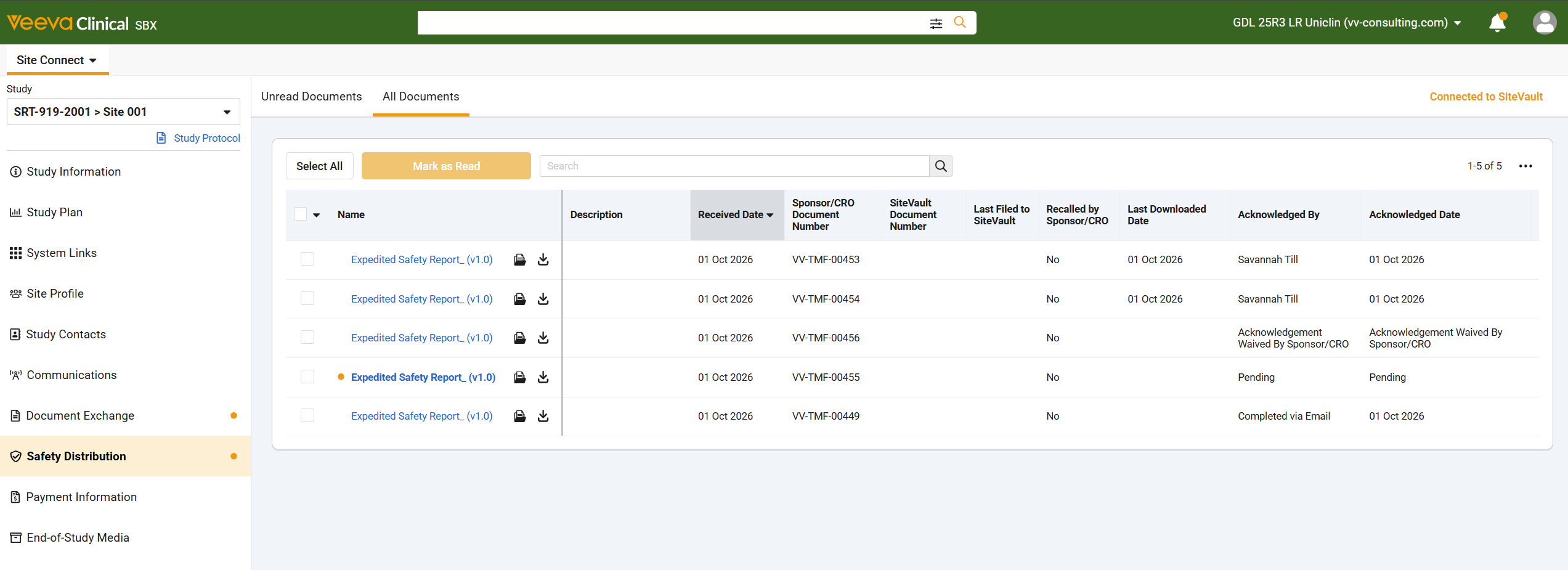
| Acknowledgment Scenario | Acknowledged By Field Display | Acknowledged Date Field Display |
| Not yet complete | Pending | Blank |
| Acknowledged via UI | Full name of the site user who completed the action | Populated with timestamp |
| Acknowledged via Email | Completed by Email | Populated with timestamp |
| Not Required | Acknowledgment waived by Sponsor or CRO | Acknowledgment waived by Sponsor or CRO |
Downloading Acknowledgement History
- Select the All Documents view.
- Select the Ellipses (…) menu in the upper-right corner.
- Select Download All Acknowledgement Details.

