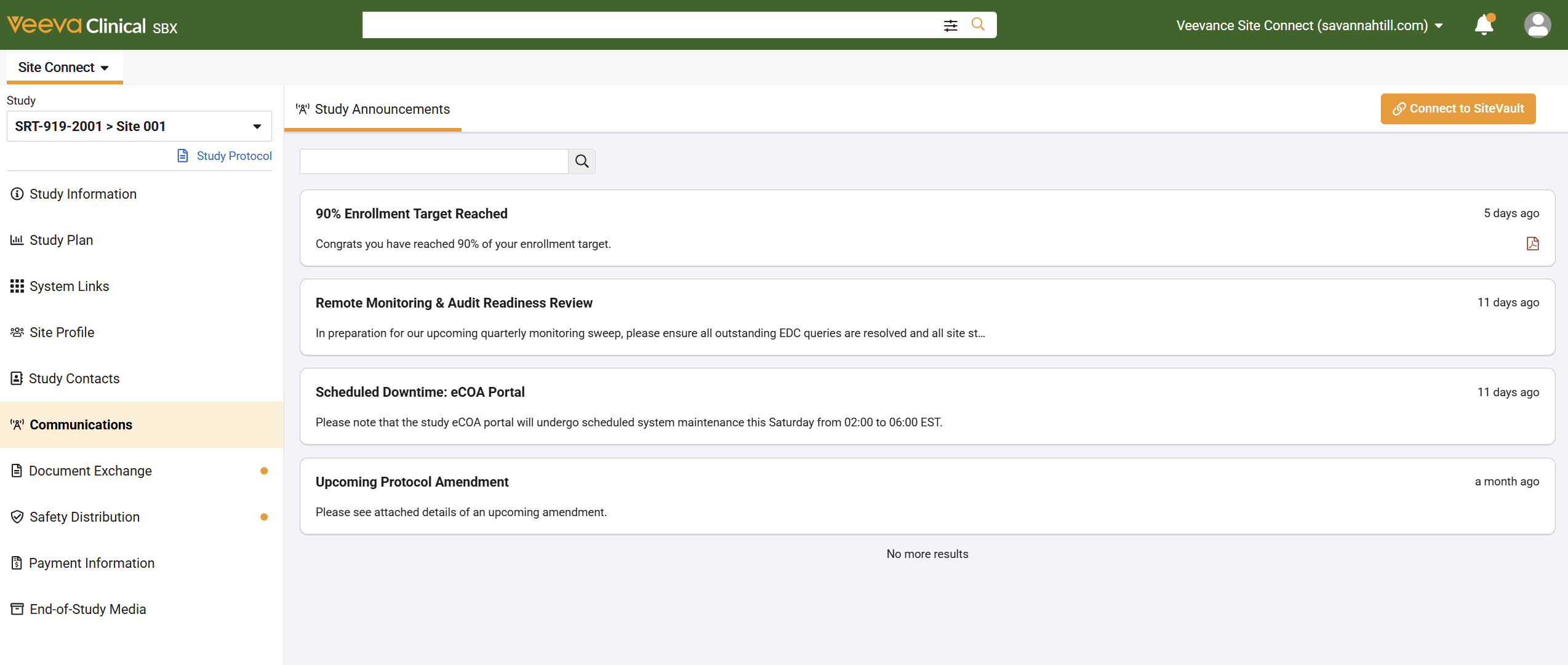
The Communications section is where you can view announcements and study updates sent directly by your Sponsor or CRO.
Whenever your Sponsor or CRO broadcasts a new announcement, an email notification is automatically sent to all Site Connect users. This email includes the announcement details and a link to any attached documents.
Logging into Site Connect and navigating to Communications allows you to see all published announcements for your study—even those sent before you joined the trial. You can also view or download any attached operational documents to share offline with site staff who do not have system access.
Announcements are displayed in order of most recent to least recent. If your trial has a long history of updates, click the Show More button at the bottom of the list to load additional previous announcements.
If no announcements are listed, it is because the Sponsor or CRO has not yet broadcasted anything to your site.
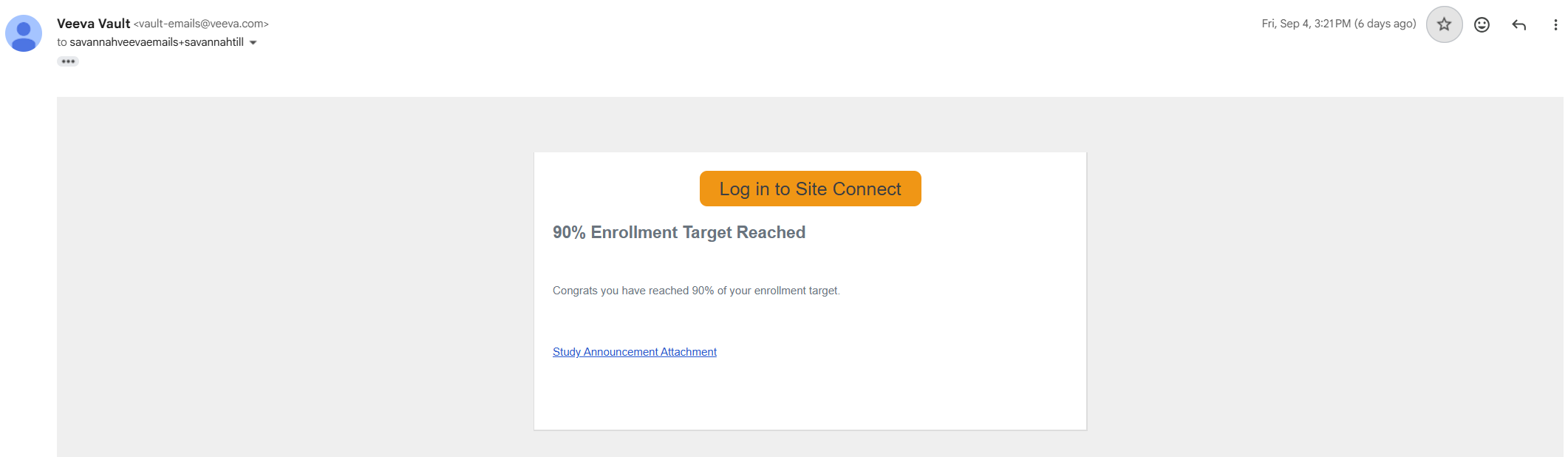
From Email Notifications
- Access the email.
- If there is an associated attachment, select Study Announcement Attachment to open the attachment within a viewer. If there is not an associated attachment, no link is displayed.
- Select the Download icon to download the attachment.
- Optionally, log into Site Connect by selecting Log in to Site Connect.
From Site Connect
- Log into Site Connect.
- Select a study.
- Select Communications. Only the selected study’s announcements are displayed.
- If an announcement has an attached document (indicated by an icon on the right):
- Select the relevant announcement.
- Select the Download document icon.
- Select the Preview Document icon to open the attachment within a viewer.