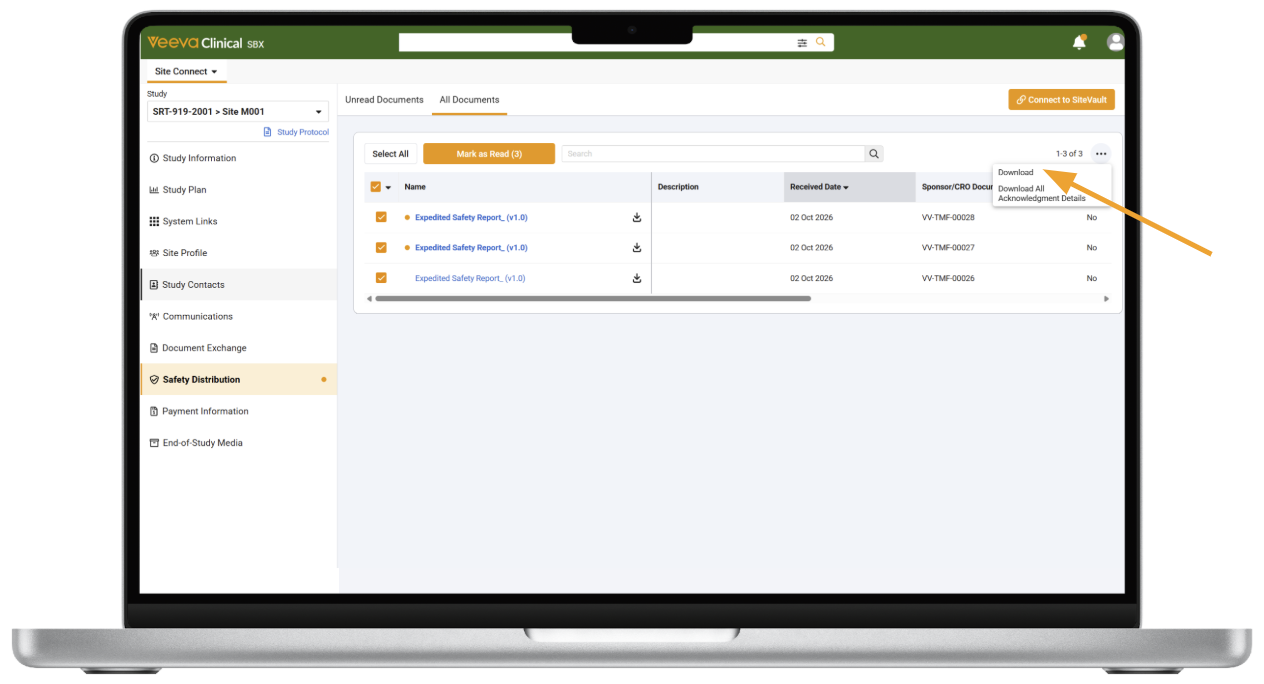
If your Sponsor or CRO is distributing safety letters in Site Connect, you can download the documents from Site Connect.
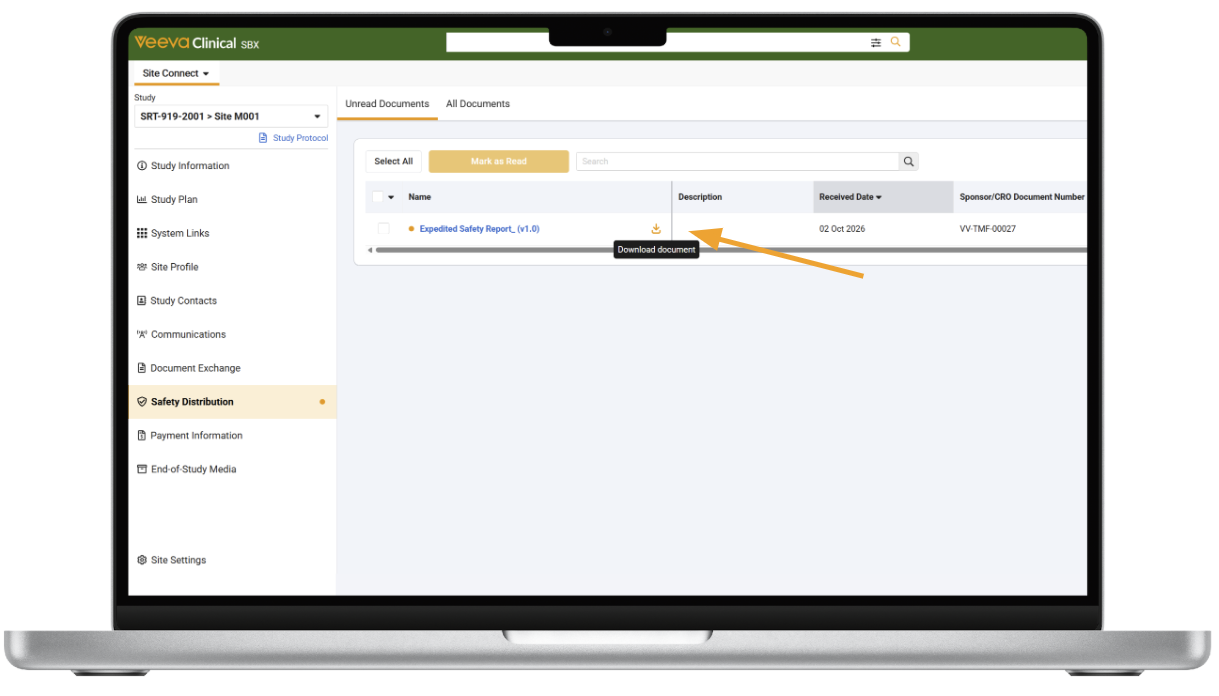
Single Document Download
- Locate the document row on either the Unread Documents or All Documents tab.
- Select the Download icon.
Bulk Document Download
- Select your desired view (Unread Documents or All Documents).
- Either select the Select All button or check the checkboxes next to the target documents.
- Select the Ellipses (…) menu in the upper-right corner.
- Select Download.
- Select Confirm.
- Once the download is complete, select the notifications icon in the upper right.
- Within the notification, select Show More.
- Select Download Documents.