At Screening the Subject can be successfully Screened or be Screen Failed depending on if the Subject meets the eligibility criteria. A Subject can be Screen Failed after the Initial Screening.
To Screen or Screen Fail a Subject
- To Screen a Subject, navigate to the Subjects page.
-
Click the Add New Subject button to open the New Subject form.
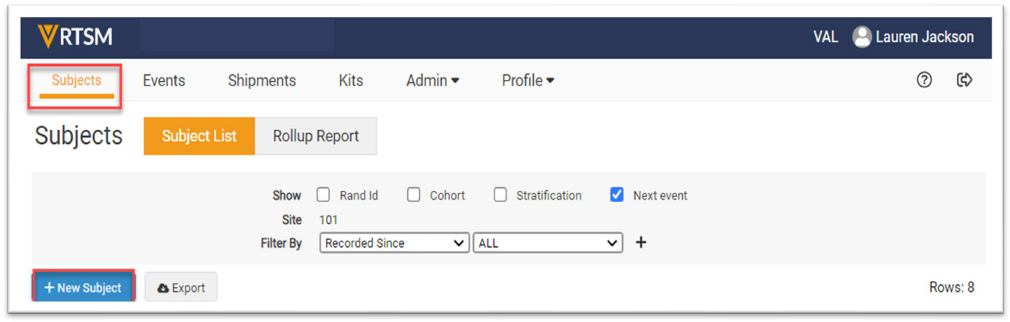
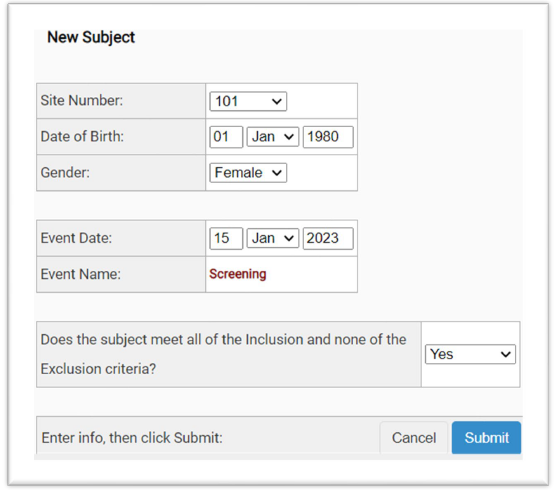
Note: The view may differ from the images above based on the study and user privileges. Additionally, the questions or statements may vary based on the study requirements. - Enter data in the required fields.
- If the Subject meets the eligibility criteria, select Yes and click Submit.
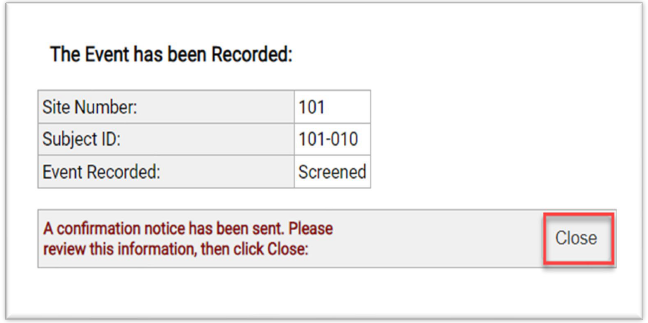
- A final form appears to confirm the subject is Screened.
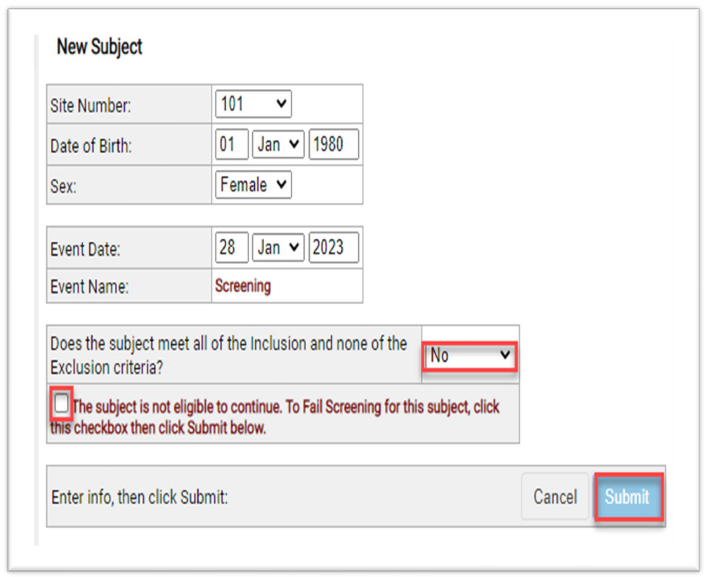
- If the Subject does not meet the eligibility criteria, select No to the eligibility question.
- Check the checkbox to Screen Fail the Subject and then click Submit.
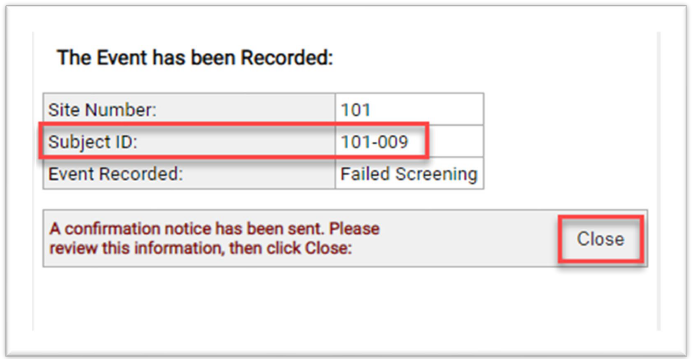
- A final form appears to provide the subject number and confirm the subject is Screen Failed.
To Screen Fail a Subject after the Initial Screening
-
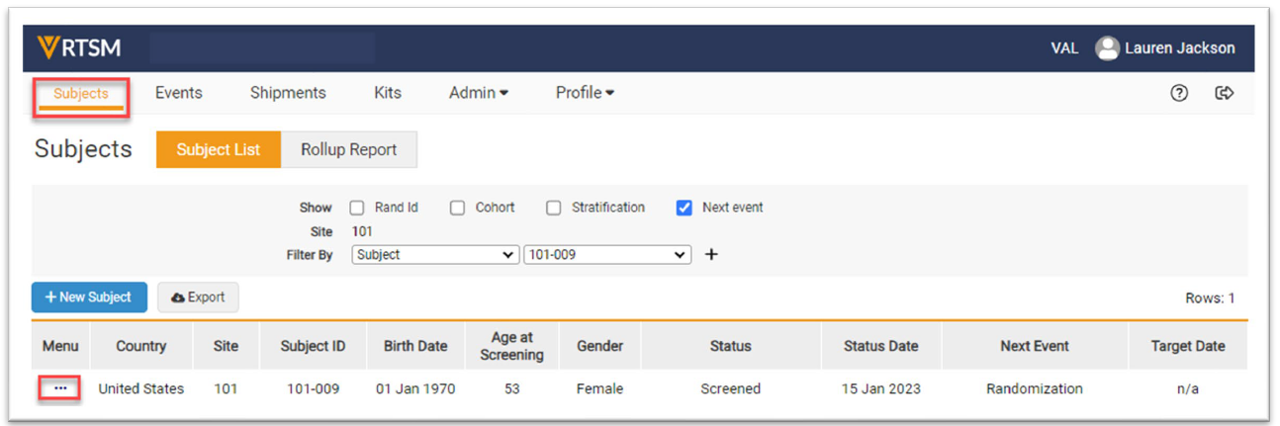
Navigate to the Subjects page, click on the Task Menu (3 dots) for the subject to be screenfailed.
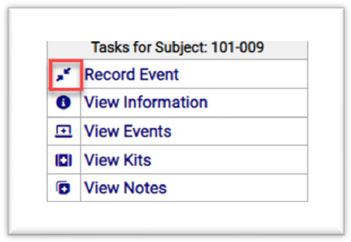
- Click on Record Event on the Task Menu.
Notes- The study may have different tabs and or radio boxes than what is displayed above.
- The user may be required to disable Pop Up Blockers before clicking on links or icons.
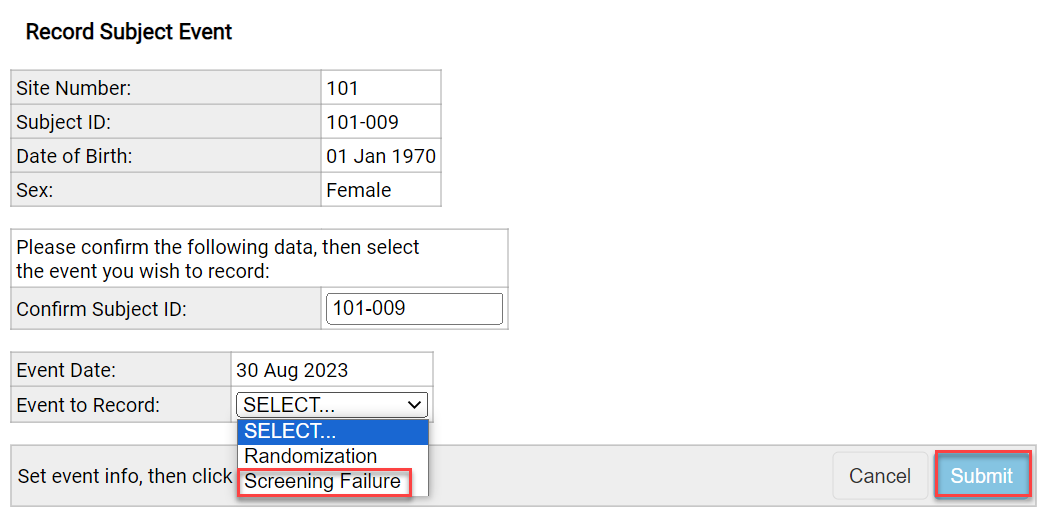
- Enter data in the required fields. Click Screening Failure as the Event to Record.
- Click the Submit button.
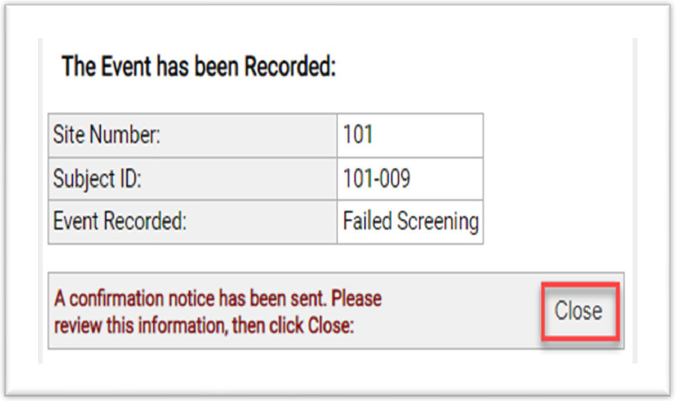
- A final form appears to confirm the subject is Screen Failed.
Note: The study may have different activity names than what is displayed above.


