Record an Unscheduled Dispensing
Note: Unscheduled Dispensing is not available to Site users in all studies. If Unscheduled Dispensing is not available, please reach out to the Help Desk for assistance.
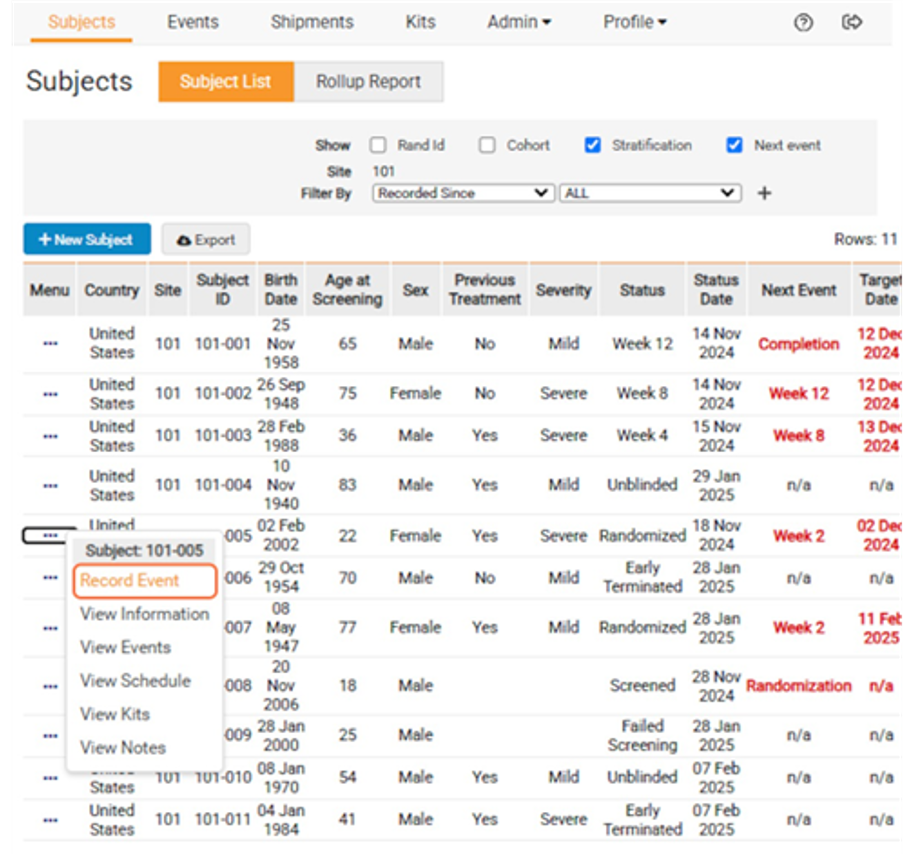
- From the Subjects page, select Record Event from the Subject’s task menu.
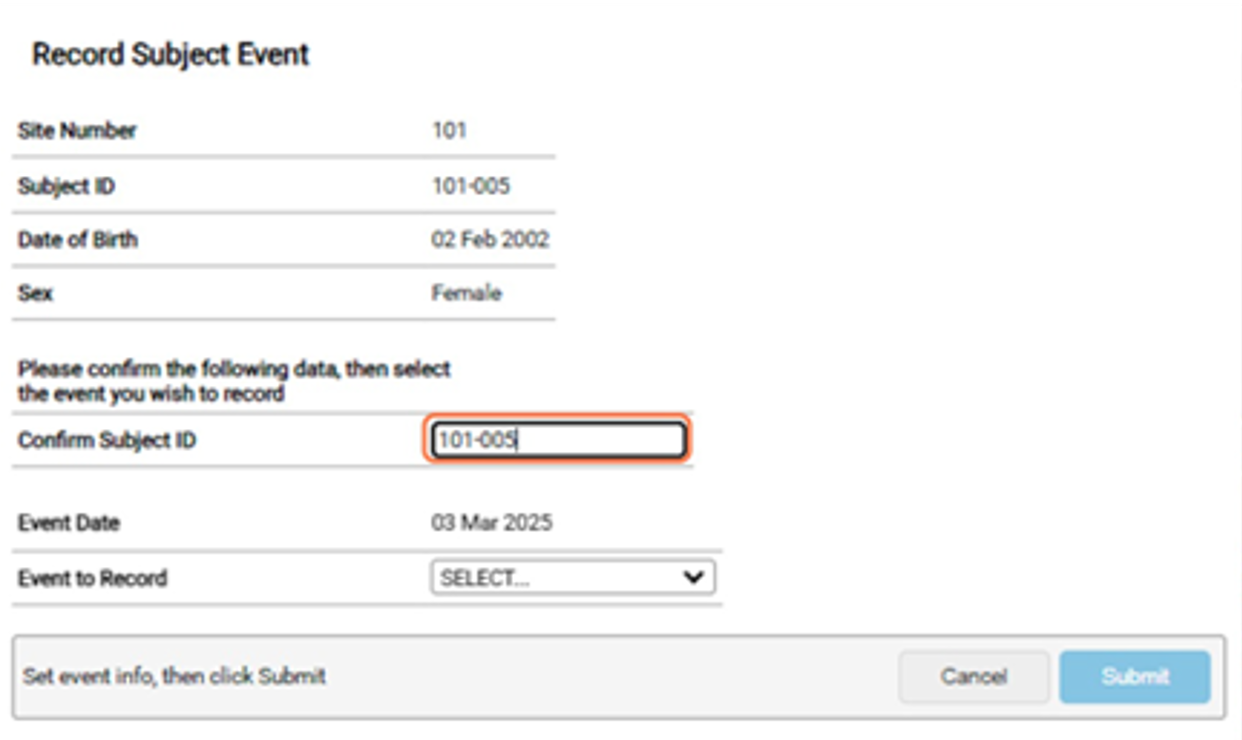
- Confirm the Subject’s ID.
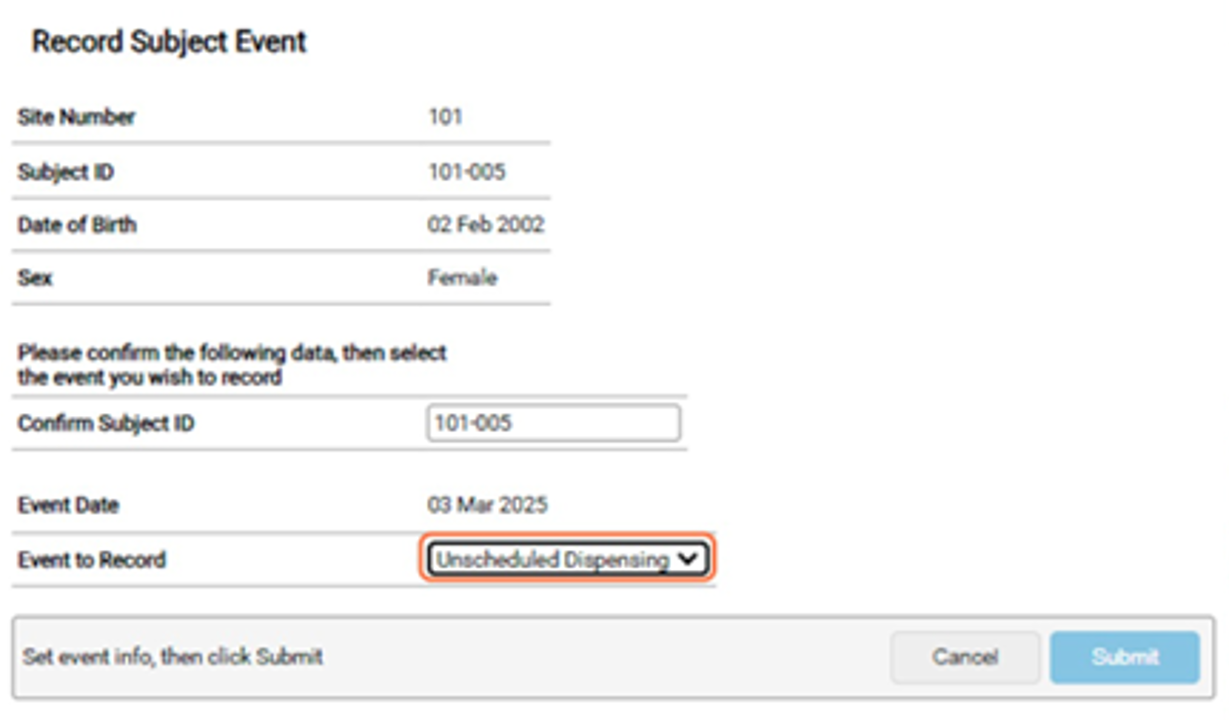
- Select Unscheduled Dispensing from the dropdown.
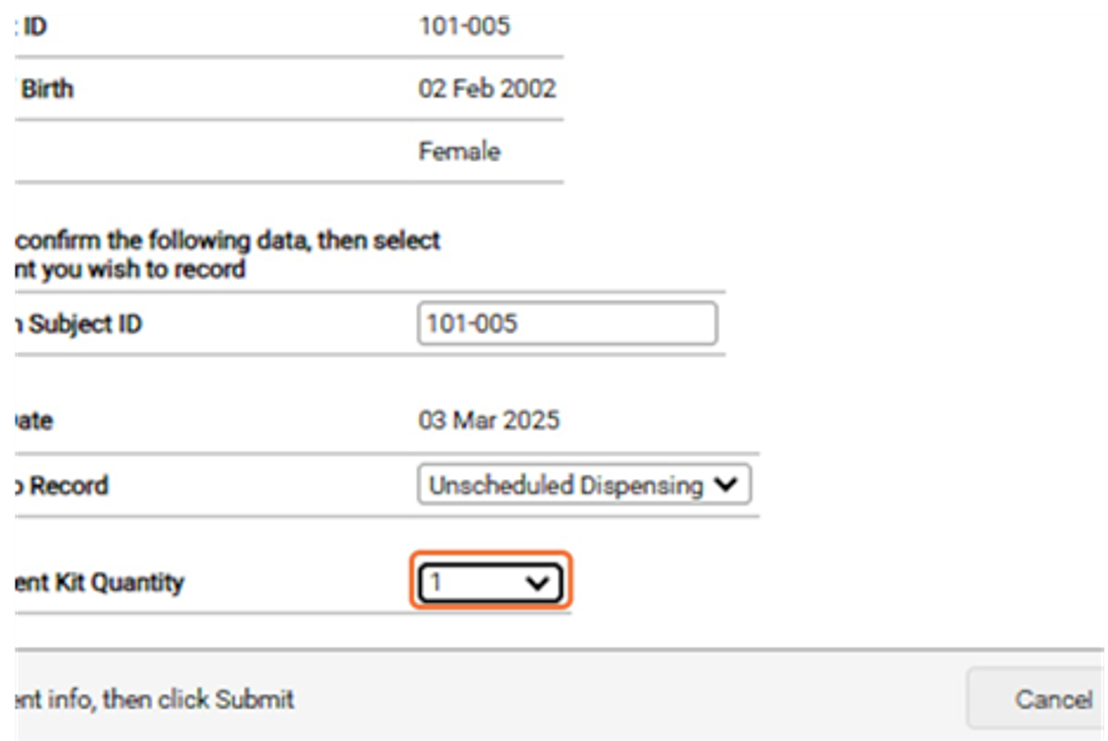
- Select the quantity of kits needed.
- Click Submit.
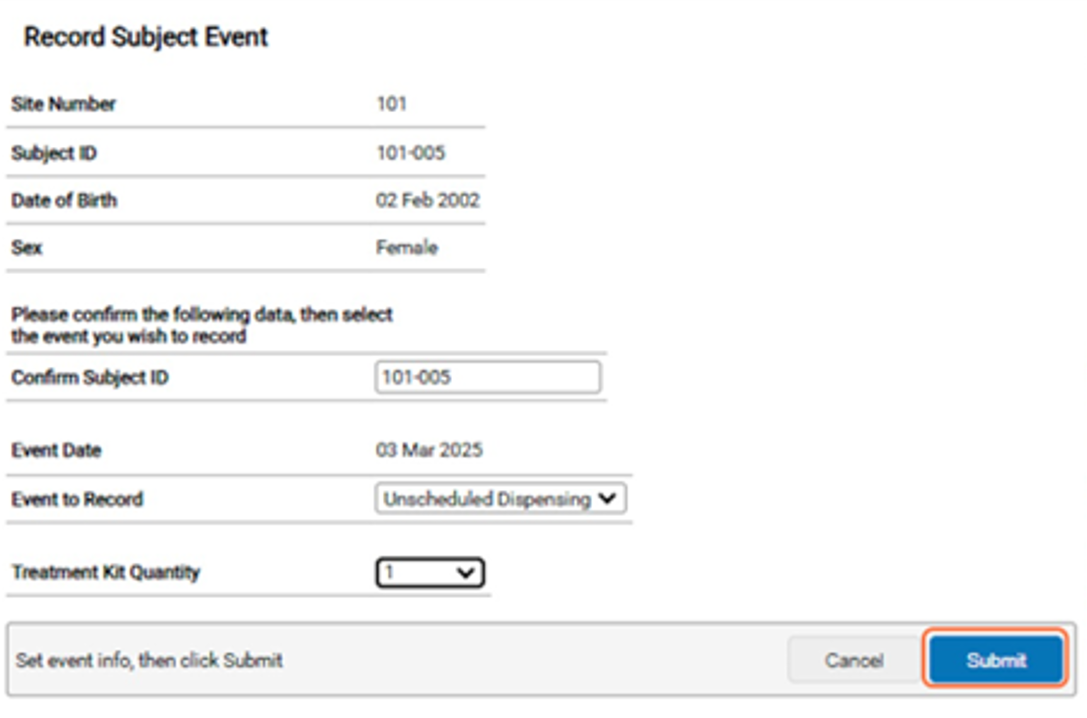
Note: The study may have different tabs or radio boxes than what is displayed above.


