Note: In most studies, only the Site Investigator has access to Unblind a Subject.
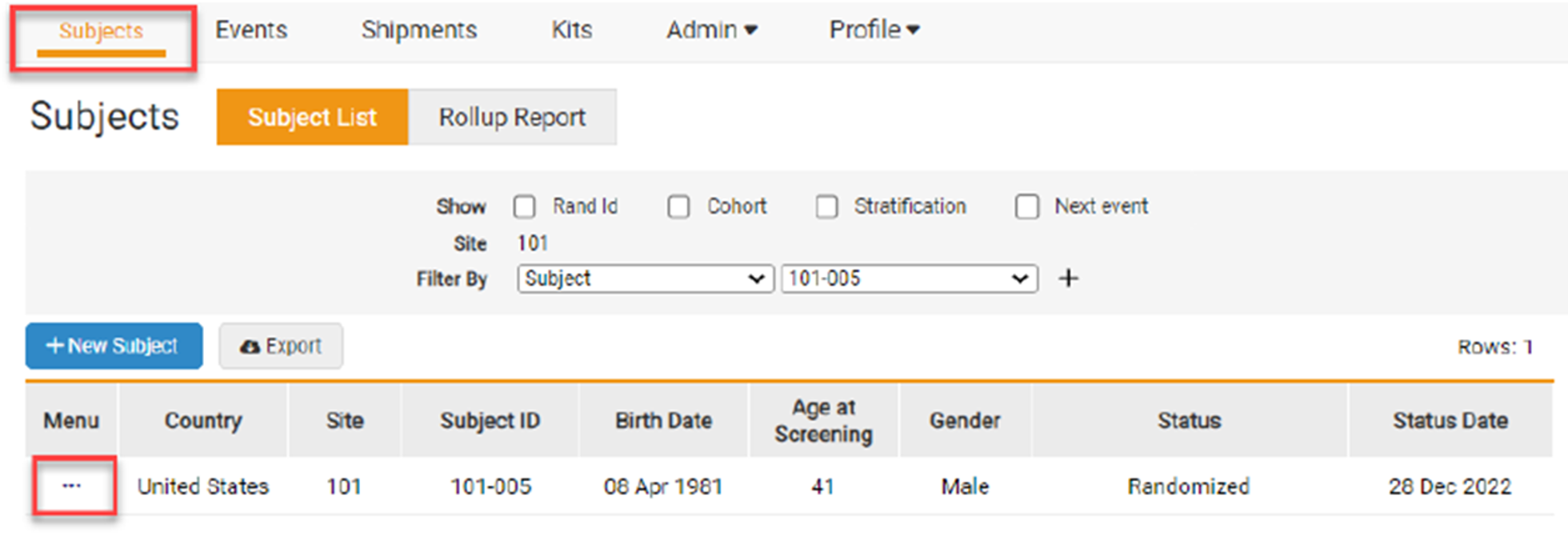
- On the Subjects page, click on the Task Menu (3 dots) on the row of the subject to be Unblinded.
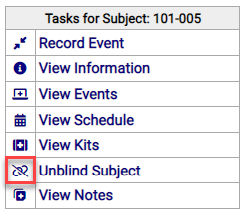
- The Site Investigator can click on Unblind Subject on the Task Menu.
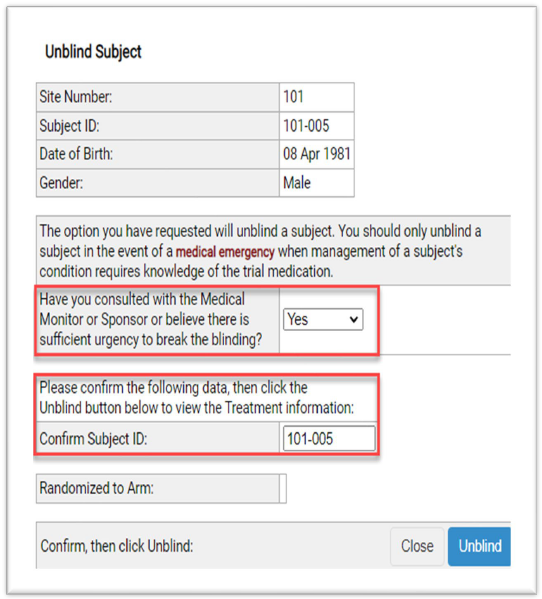
- Enter data in the required fields on the Unblind Subject form.
- Click the Unblind button.
- A final form appears to reveal the treatment arm to which the subject is randomized.
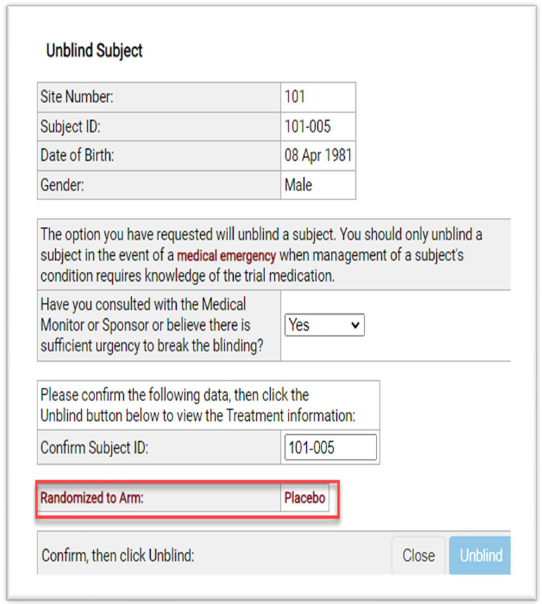
Note: The study may have different questions or statements than what is displayed on these forms.


