Note: Rescreen is not available to Site users in all studies.
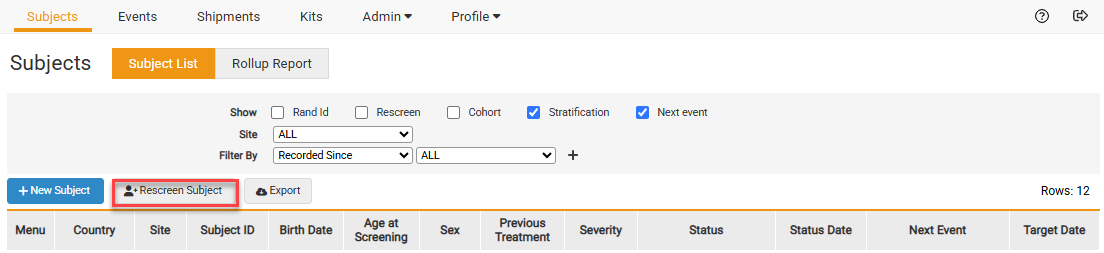
- From the Subjects page, click on Rescreen Subject.
- Fill out the Information and confirm the Subject is being rescreened.
- Select the previous ID for the Subject.
- Screen the Subject.
- Click Submit.
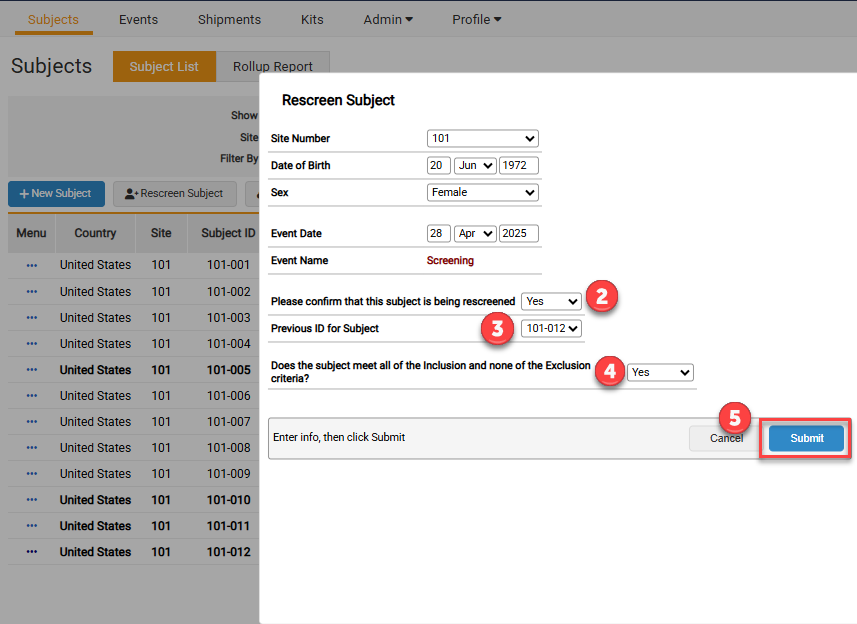
Note: The study may have different tabs or radio boxes than what is displayed above.


