Recording & Editing
Learn how to record or edit events in the RTSM system.
Record Events After Randomization
- Navigate to the Subjects page, click on the Task Menu (3 dots) on the row of the subject to record the next visit.
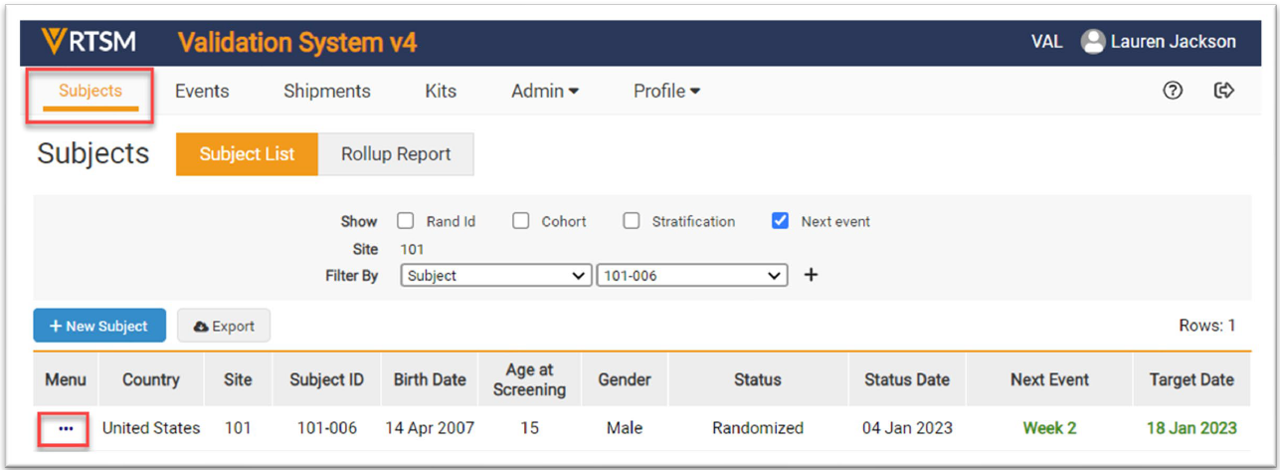
Note: The event name after Randomization in the study may be different than the example.
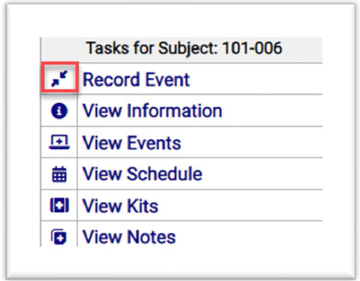
- The Task Menu for the subject opens. Click on Record Event and a new form opens.
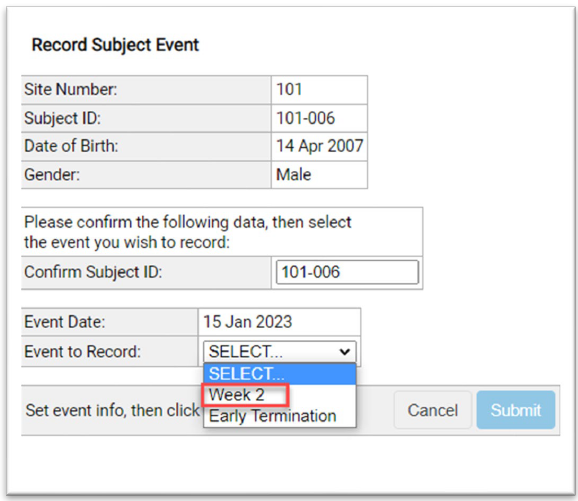
- Enter data in the required fields on the Record Subject Event form.
- Select Week 2 as the Event to Record from the drop-down menu.
- Click the Submit button.
- A final form appears to confirm the event is recorded and displays the kit assignment.
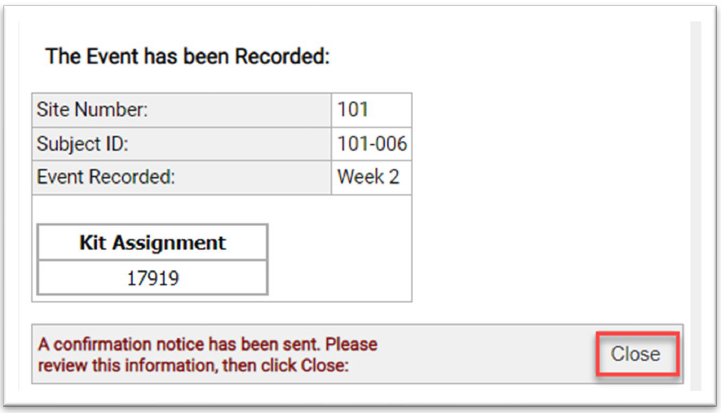
Note: The study may have different questions or statements than what is displayed on these forms.
 RTSM
RTSM
 Help Topics
 More Help for Sites