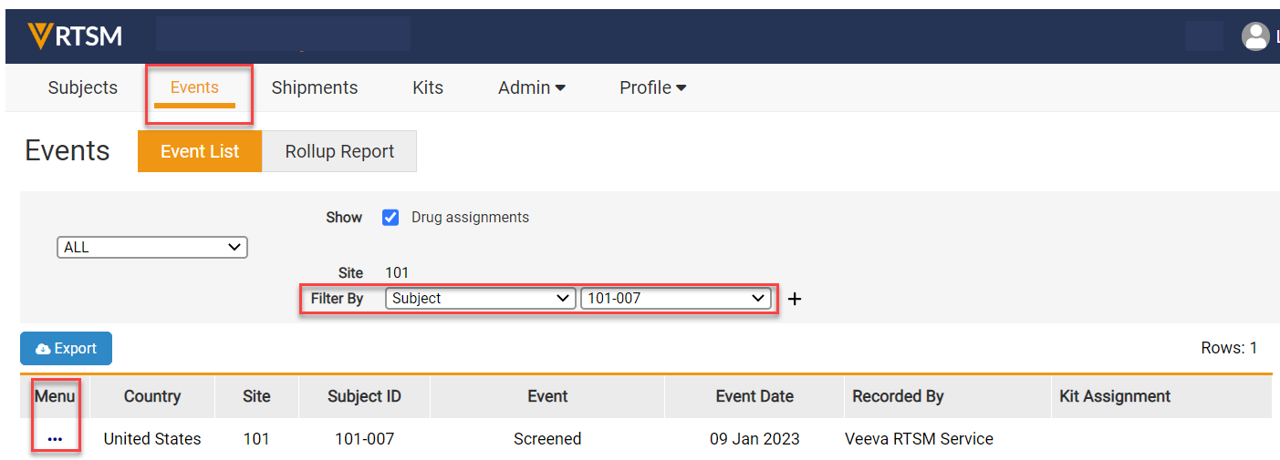
- Navigate to the Events page, Filter by the Subject Number that needs to be changed.
- Click on the Task Menu (3 dots) of the row for the subject.
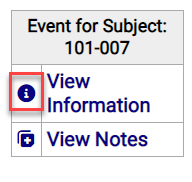
- Click on View Information on the Task Menu and a new form opens.
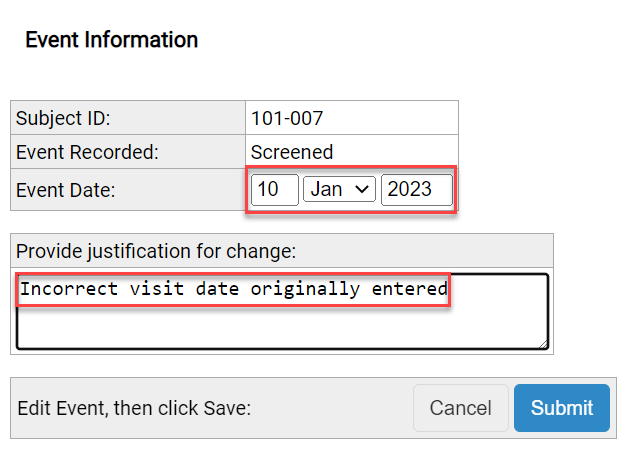
Note: The study may have different tabs and or radio boxes than displayed above.
Note: It may be required to disable Pop Up Blockers before clicking on links or icons. - In the example below, the user can edit the Event Date.
- A reason for the change (Justification) must be provided.
- Click the Submit button.
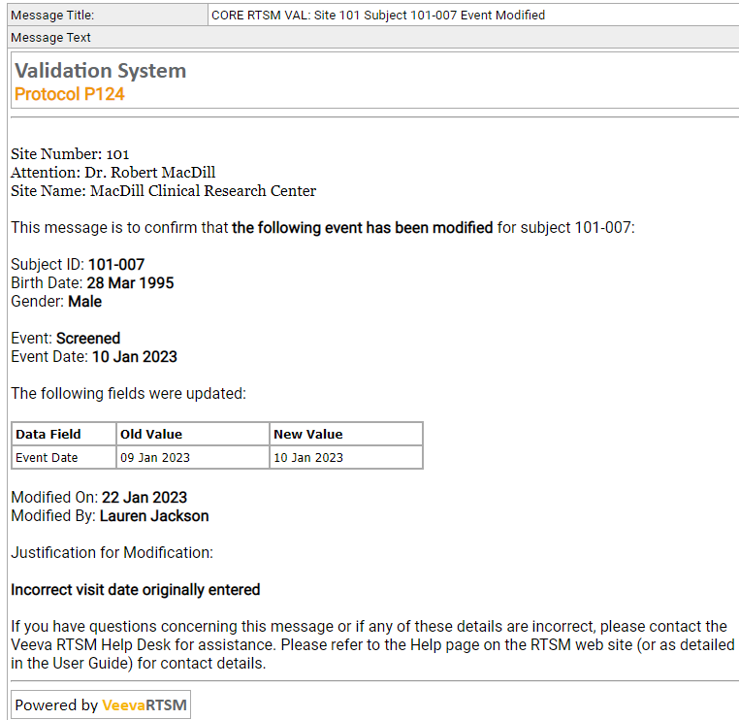
- A notification is generated when subject information is updated, providing the Old Value and New Value for the updated demographics.
Note: Your study may have different event names than listed above. Typically, site users are granted permissions to change any event which did not include a drug assignment.


