Early Terminate a Subject
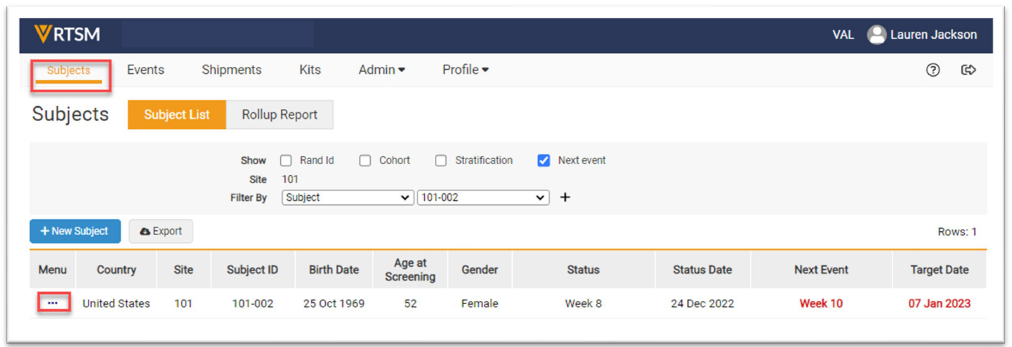
- Navigate to the Subjects page, click on the Task Menu (3 dots) for the subject which should be Early Terminated.
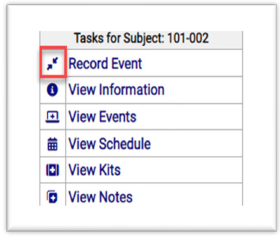
- Click on Record Event on the Task Menu and a new form opens.
Note: Your study may have different tabs and or radio boxes than displayed above.
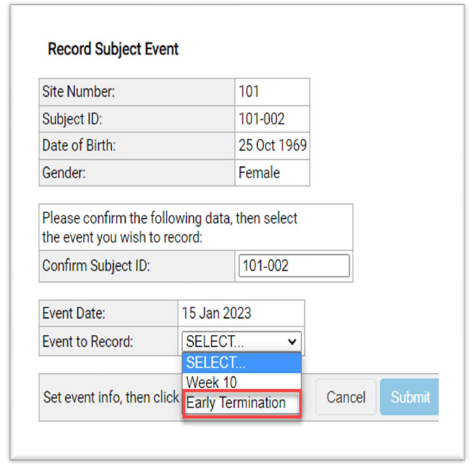
Note: You may be required to disable Pop Up Blockers before clicking on links or icons. - Enter data in the required fields. Select Early Termination as the Event to Record.
- Click the Submit button.
- A final form appears to confirm the subject is Early Terminated.
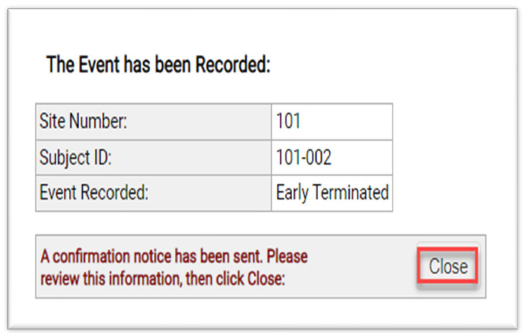
Note: Your study may have different event names than displayed above (i.e. Discontinued or Early Discontinued).


