Kit Management
Learn how to receive, manage, and return a kit.
Receive a Shipment
Acknowledge Receipt of a Shipment in RTSM
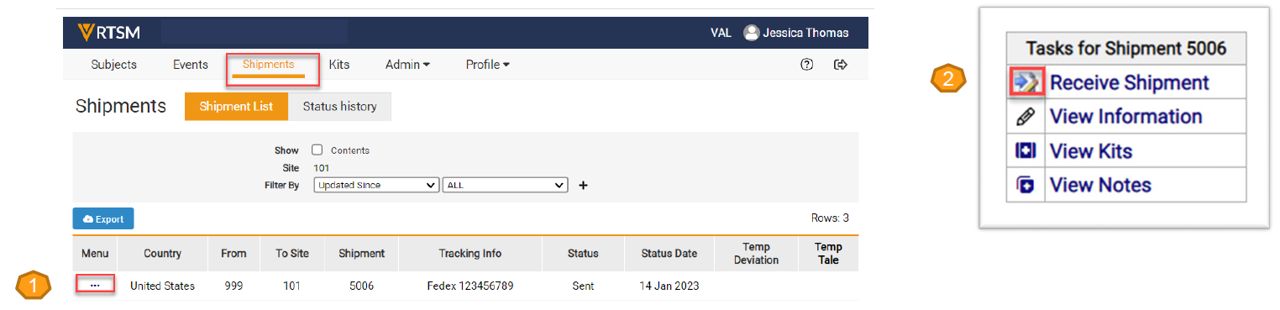
- Navigate to the Shipments page, click on the Task Menu (3 dots) for the shipment number that has been delivered to the site.
- The Task Menu opens. Select Receive Shipment, which prompts the Confirm Shipment Received form to open.
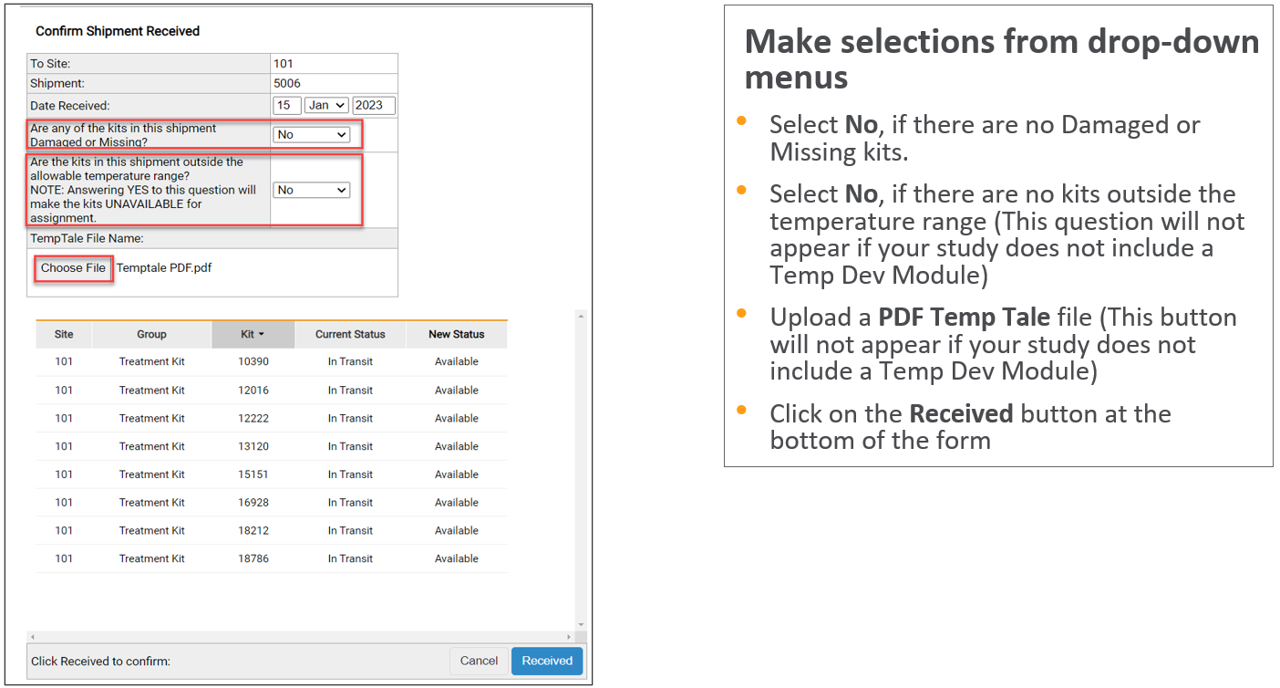
- If the shipment is in good condition, see the example and steps below:
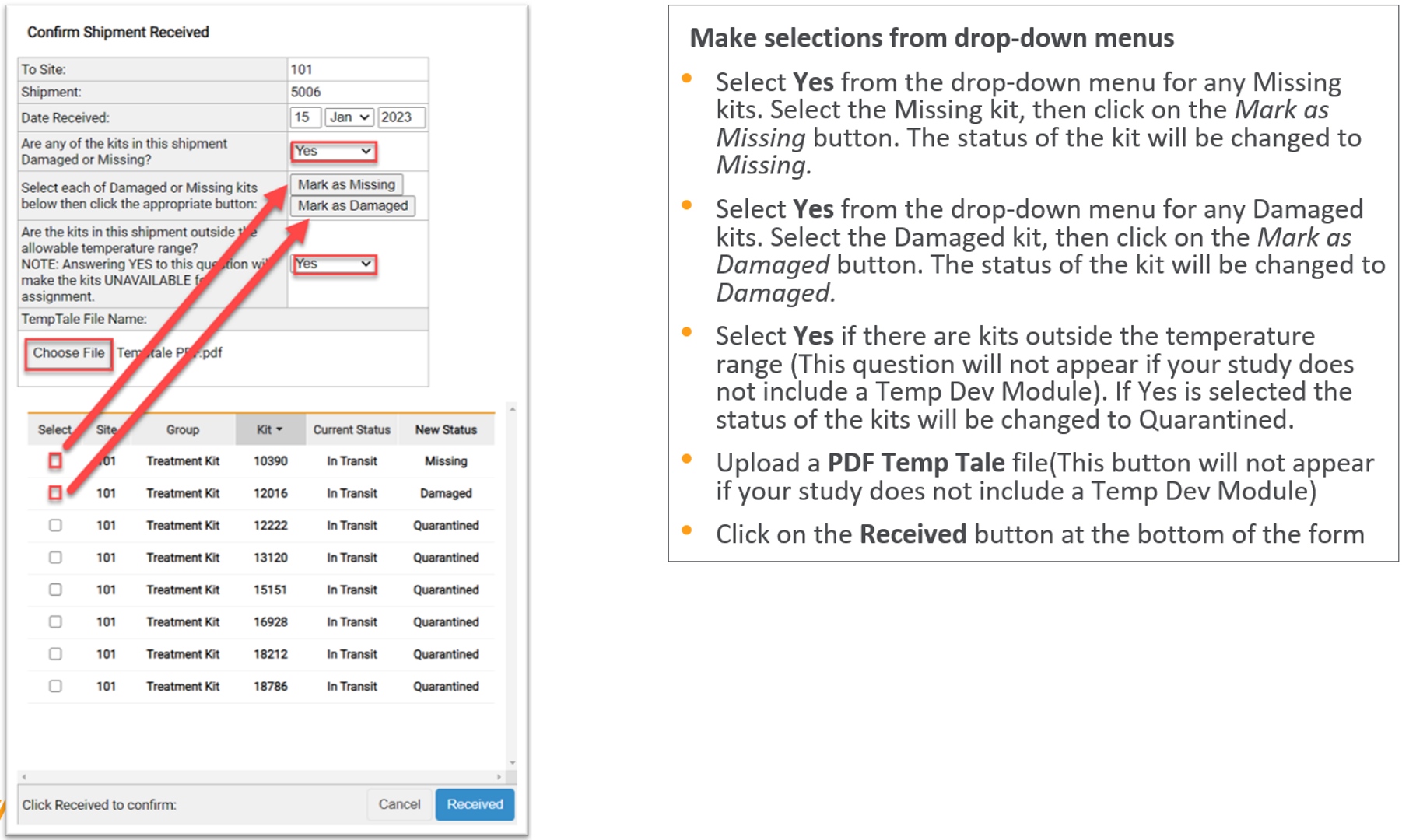
If the shipment includes Damaged or Missing Kits, or is outside the temperature range, see the example and steps below:
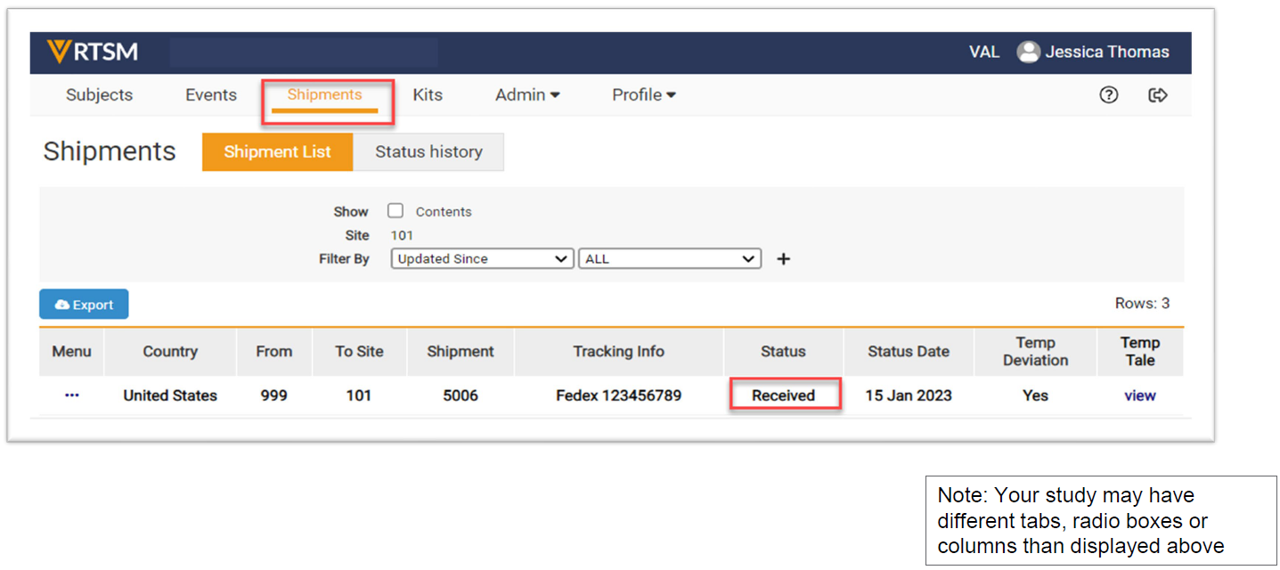
- The shipment status is updated to Received.