Note: Kits can only be replaced for the previously scheduled or unscheduled visit. The Kit statuses available for replacement are determined at a study level.
Replace Kits from Subjects Page
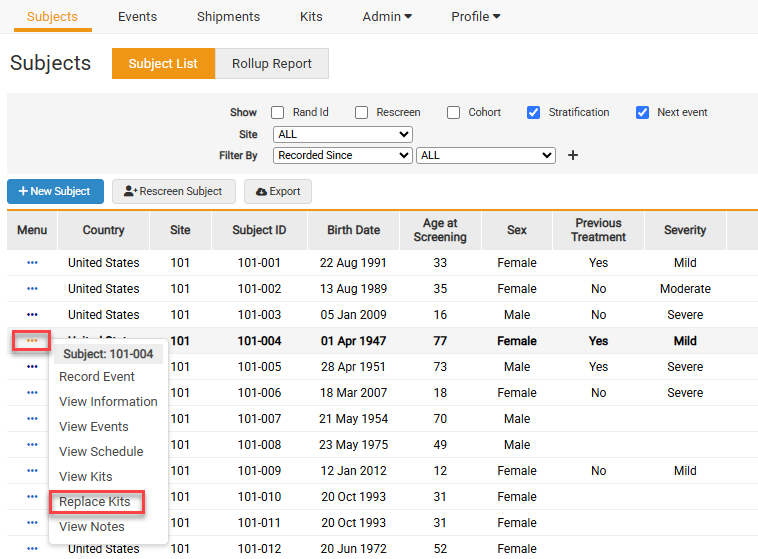
- From the Subjects page, select Replace Kits from the Subject’s task menu.
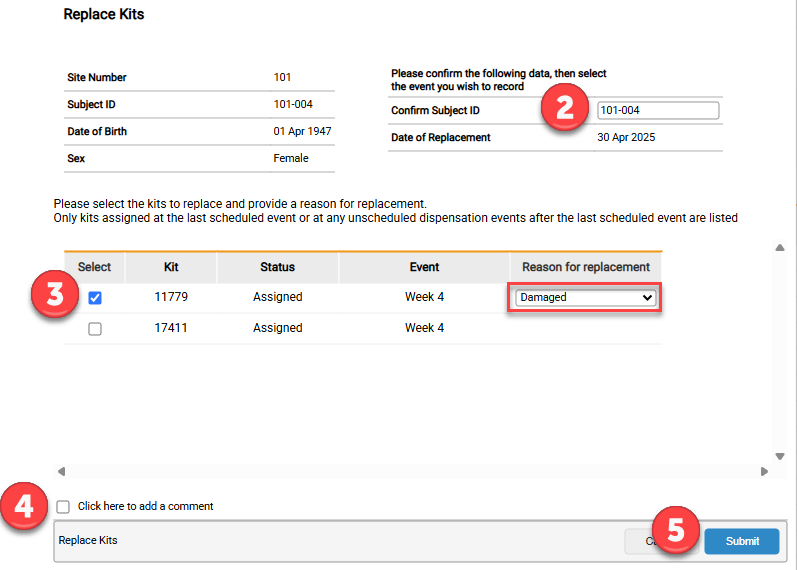
- Confirm the Subject ID.
- Select any Kits that need to be replaced and the reason for the replacement.
- Click the box to add an optional comment.
- Click Submit.
Replace Kits from the Kits Page
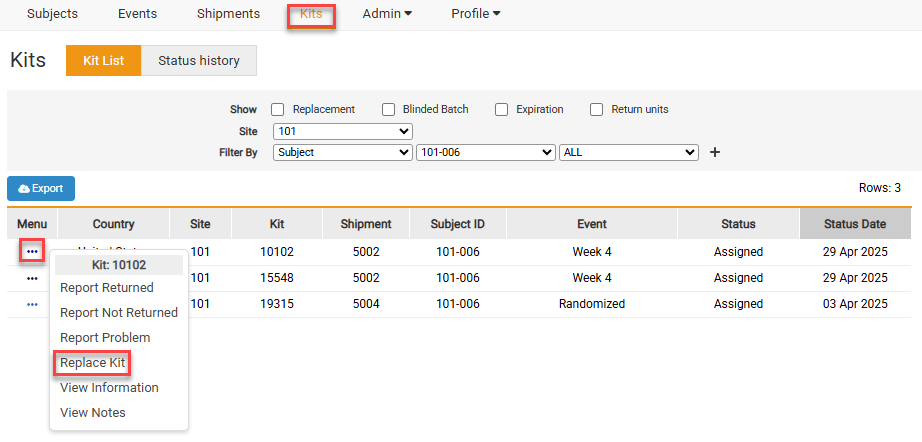
Kits can also be replaced from the Kits page.
- Select Replace Kit from the task menu and then follow steps 2-4 shown above.
Note: The study may have different tabs or radio boxes than what is displayed above.


