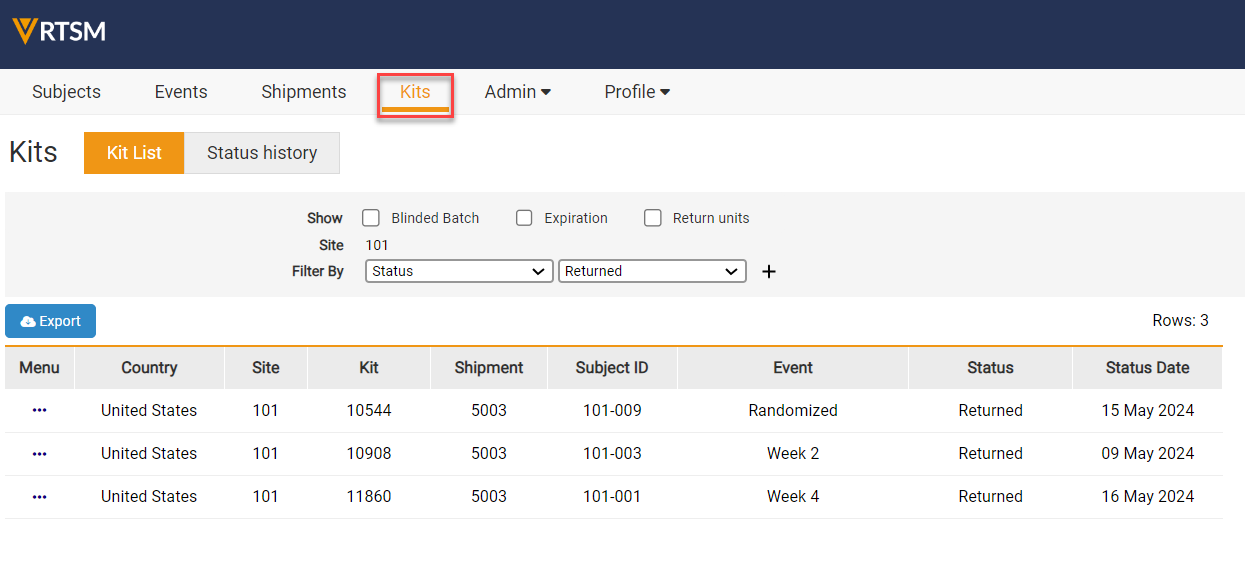
- Navigate to the Kits Page.
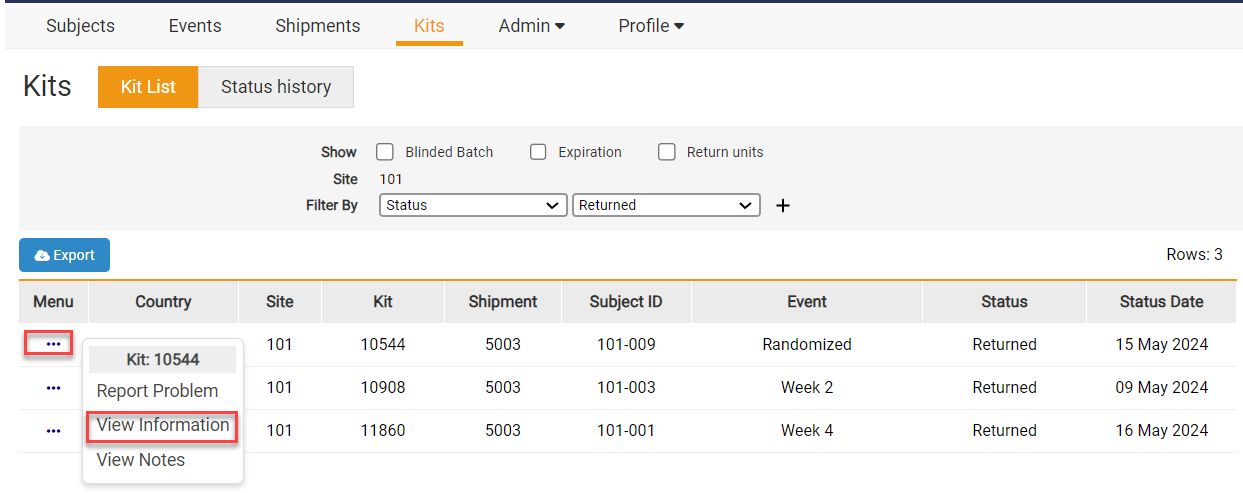
- Select the Task Menu for the specified Kit and View Information.
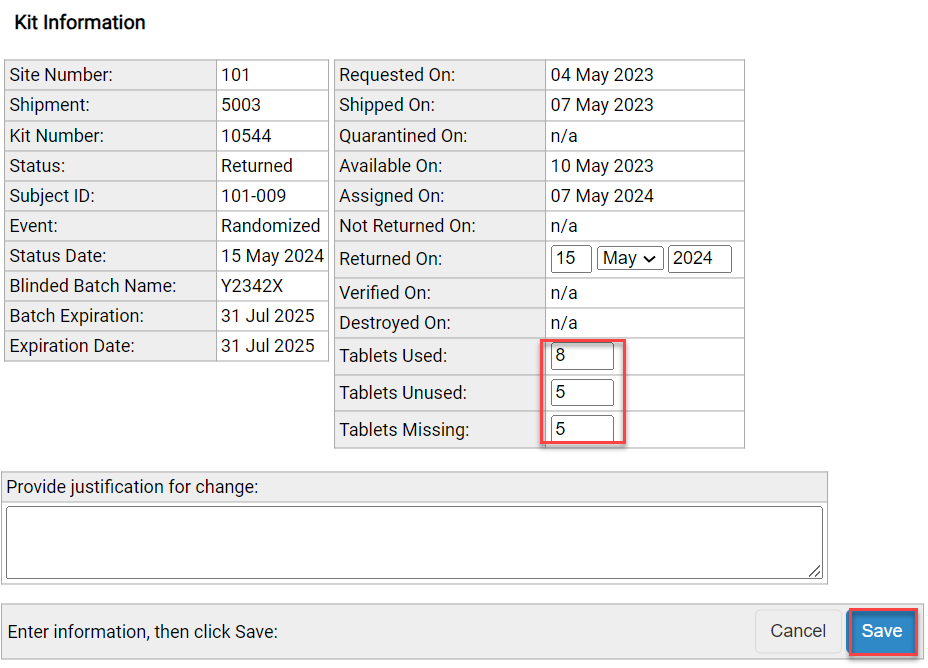
- Update the Units Used, Unused, and Missing. Provide a reason for the update and select Save.
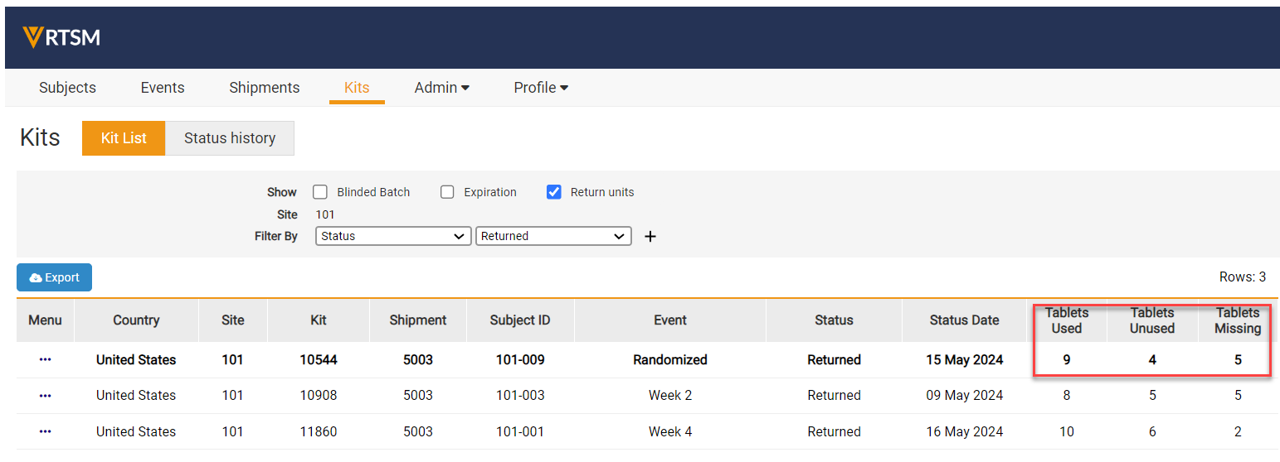
- The user can view the updated Return units in the Status history of the Kit.
Note: The study may have different tabs and or radio boxes than what is displayed above.


