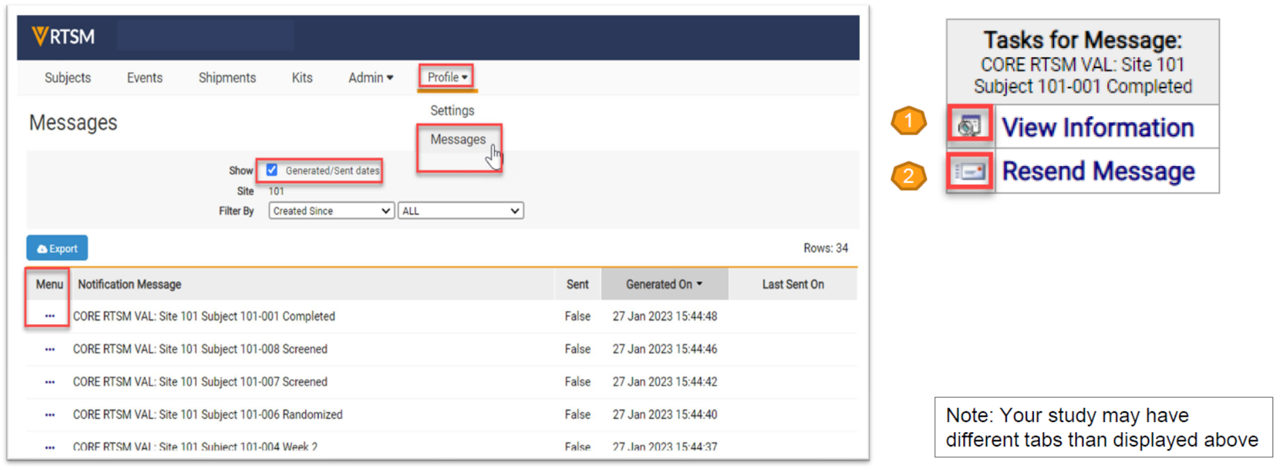
- Navigate to the Profile/Messages page.
- Click on the Task Menu (3 dots) of the notification needed.
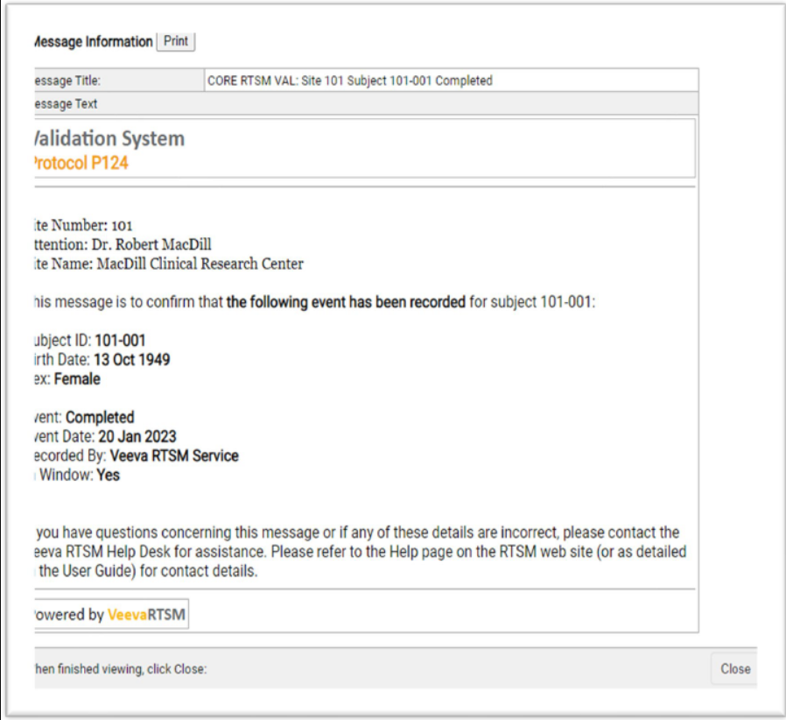
- Select View Information (1) to review the original notification.
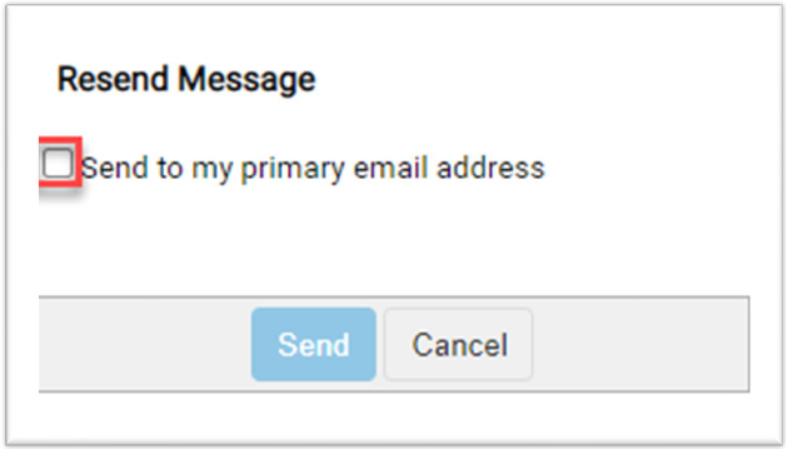
- Select Resend Message (2) to send another copy of the notification to the user’s email address.
View Information:
Resend Message: