Note: All RTSM studies have a unique URL provided when a new user account is activated.
Logging In
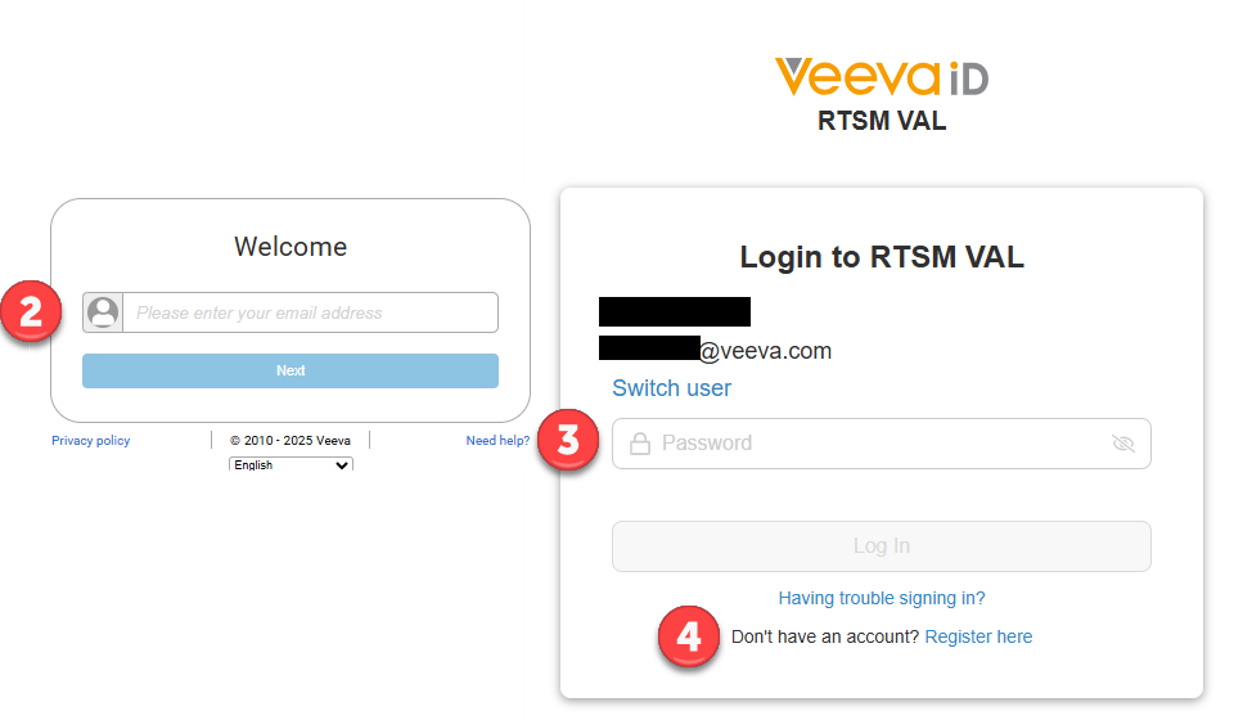
- Using the URL provided for a specific study, navigate to the RTSM Login screen.
- Enter the user email address.
- Enter user VeevaID password. If already logged into Veeva ID, user is automatically logged in upon opening the study URL.
- If the user does not have a VeevaID account, the user will need to create an account.
- After creating a VeevaID account, navigate back to the RTSM URL to sign in.
Versions 23r3-24R2
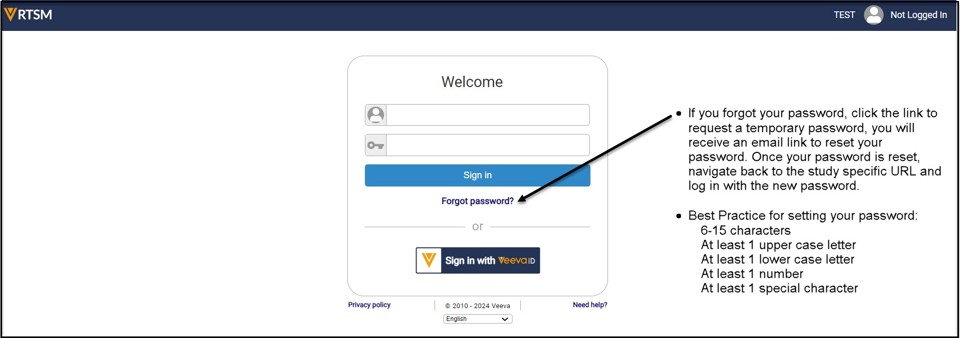
- Click on the VeevaID button to sign in.
- If the user does not have a VeevaID account, the user will need to create an account.
Note: After creating a VeevaID account, navigate back to the RTSM URL to sign in with the VeevaID button.
Versions 1-4, 23r1 Login
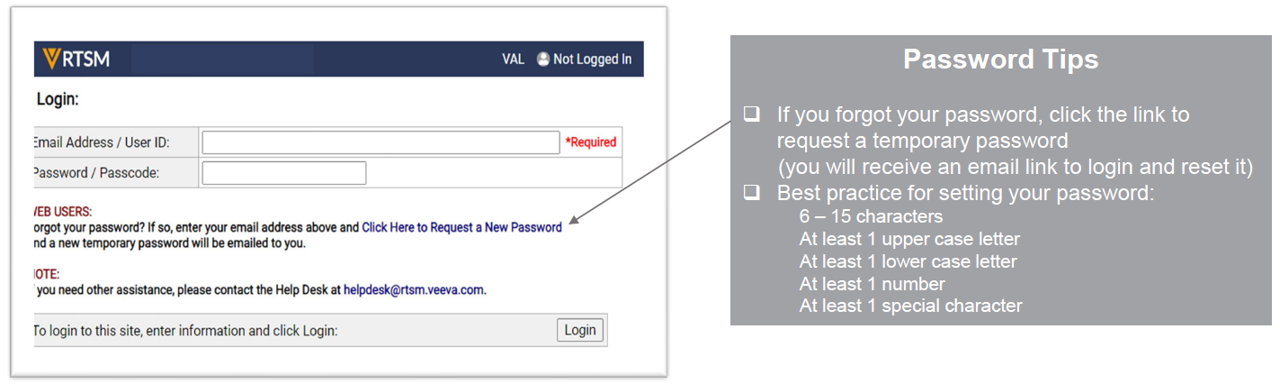
- Using the URL provided for a specific study, navigate to the RTSM Login screen.
- Enter the user email address and password.
Logging Out
Select the Logout arrow at the top right-hand corner of the screen.
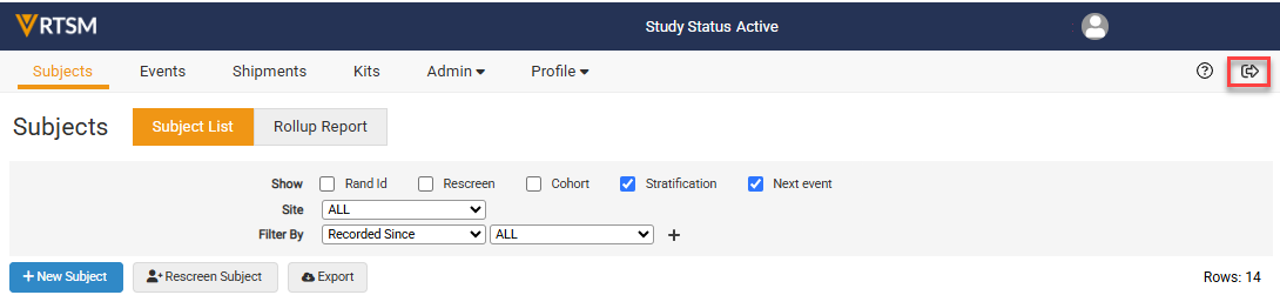
Note: The user is automatically logged out after 20 minutes of inactivity.