Note: All RTSM studies have a unique URL provided when a new user account is activated.
Logging In
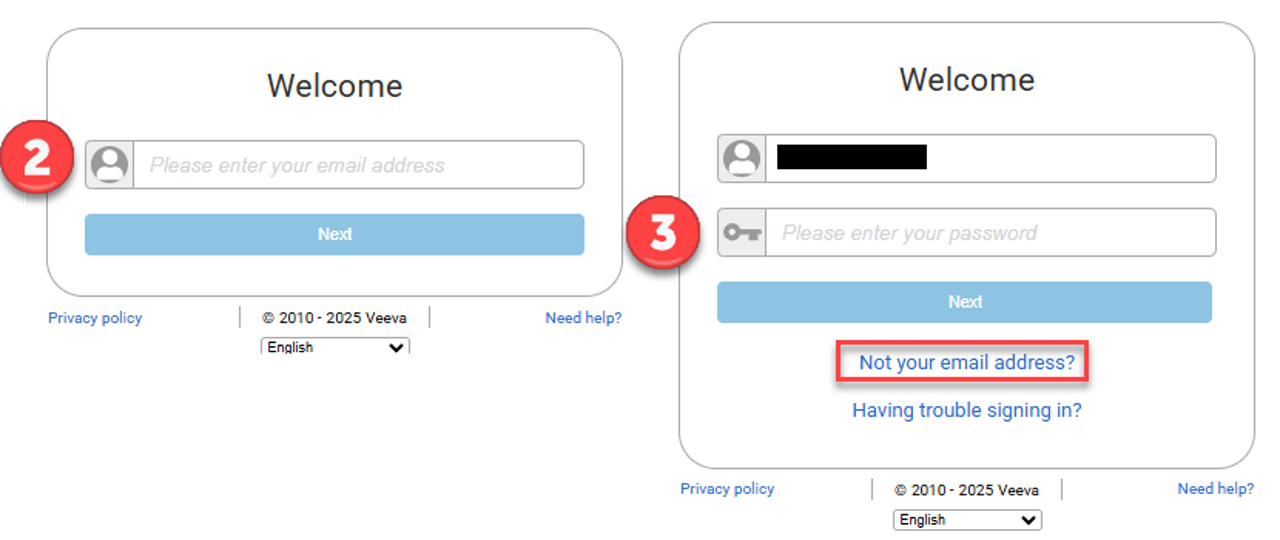
Versions 25r1 and After
- Using the URL provided for a specific study, navigate to the RTSM Login screen.
- Enter the user email address.
- Enter the user password.
Note: To update an email address, the user must click Not your email address? to return to the first login screen.
VeevaID
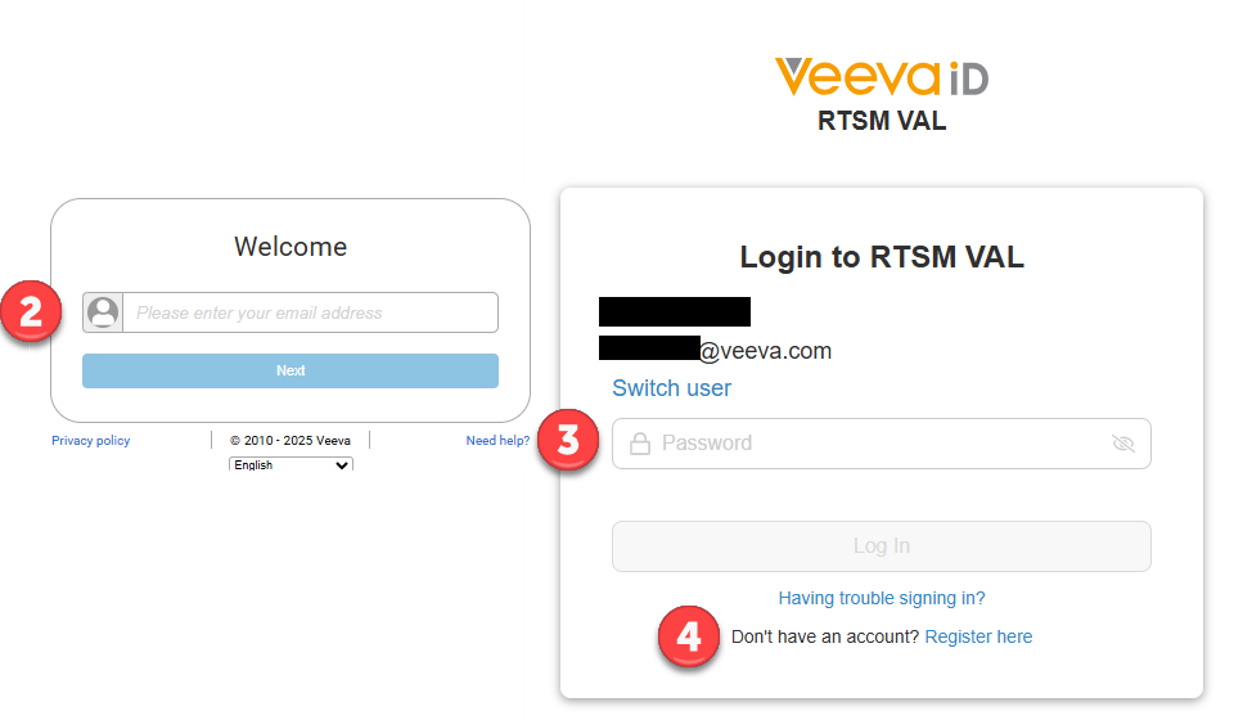
- Using the URL provided for a specific study, navigate to the RTSM Login screen.
- Enter the user email address.
- Enter user VeevaID password.
- If the user does not have a VeevaID account, the user will need to create an account.
Note: After creating a VeevaID account, navigate back to the RTSM URL to sign in.
Versions 23r3-24R2:
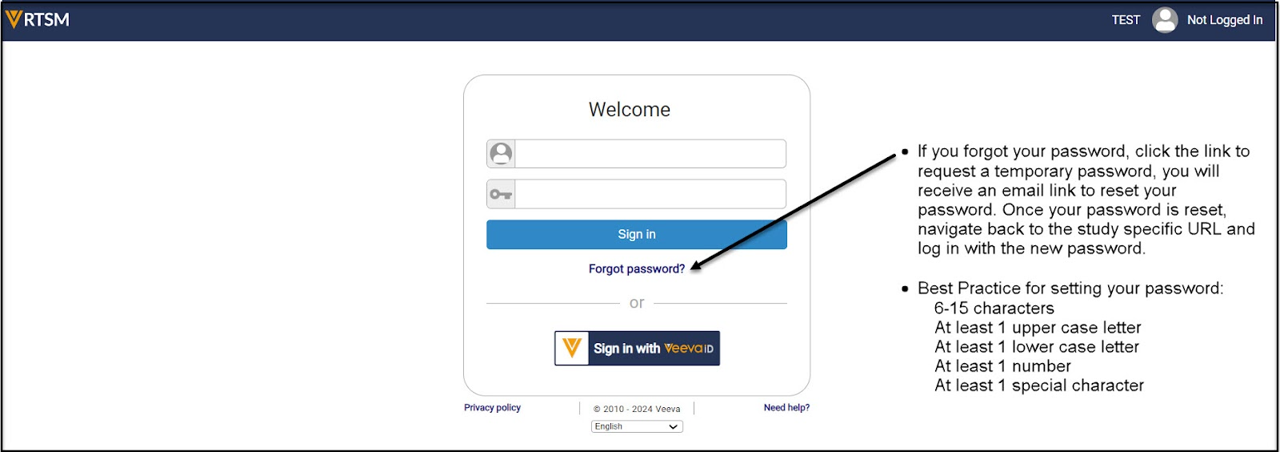
- Using the URL provided for a specific study, navigate to the RTSM Login screen.
- Enter the user email address and password.
VeevaID
- VeevaID users should click on the VeevaID button to sign in.
- If the user does not have a VeevaID account, the user will need to create an account.
Note: After creating a VeevaID account, navigate back to the RTSM URL to sign in with the Veeva ID button.
Versions 1-4, 23r1 Login:
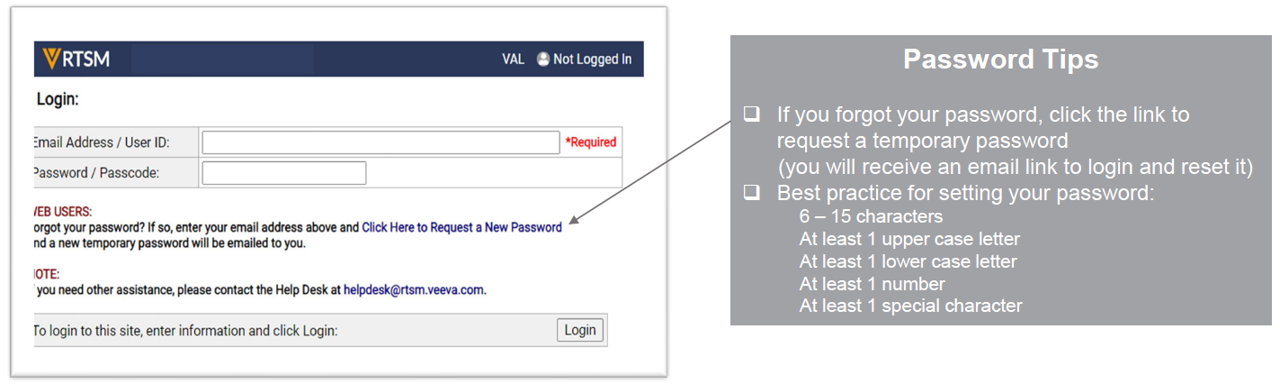
- Using the URL provided for a specific study, navigate to the RTSM Login screen.
- Enter the user email address and password.
Note: To request new user access, please contact the site monitor/CRA.
Logging Out
Select the Logout arrow at the top right-hand corner of the screen.
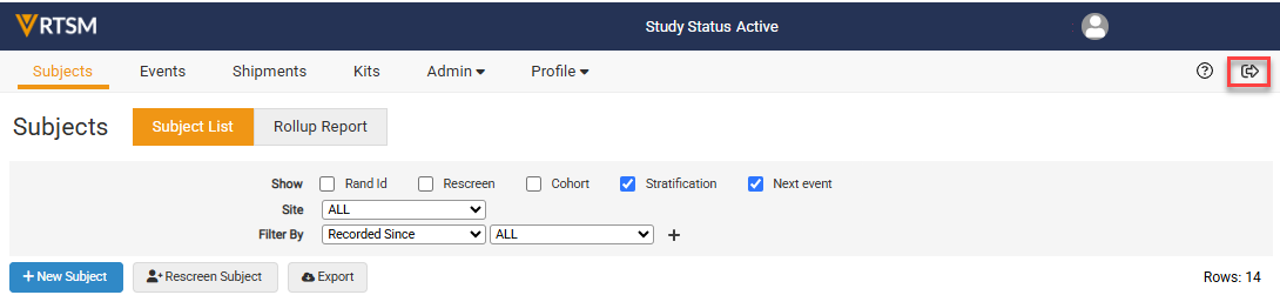
Note: The user is automatically logged out after 20 minutes of inactivity.


