Download Reports in RTSM
- On the left-hand side of every web page of the dashboard is an Export button.
- Click on the Export button to download a .csv spreadsheet view of the data displayed on the current web page.
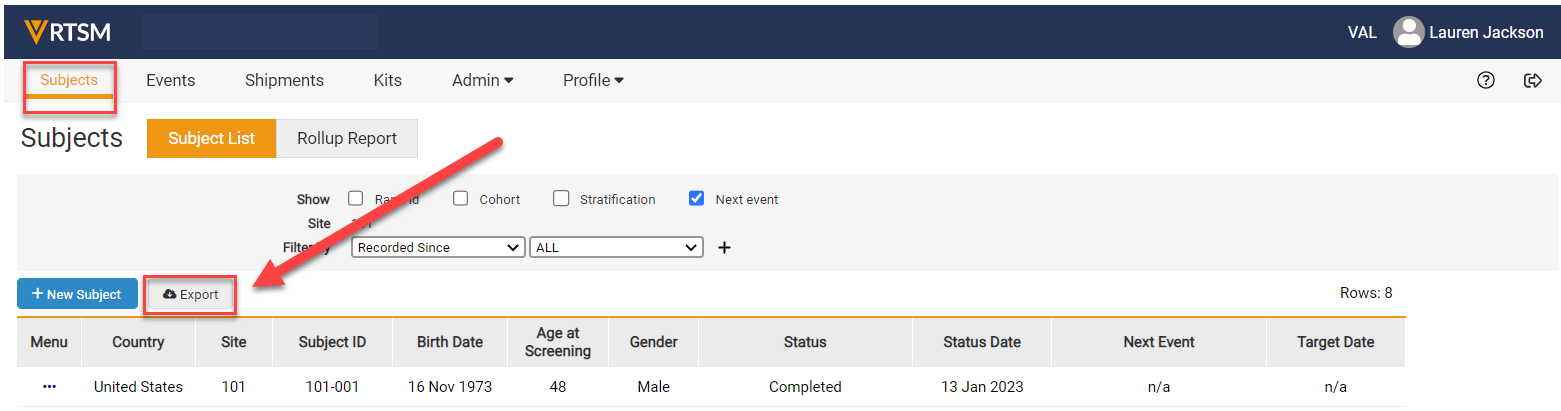
Note: The study may have different tabs than that which is displayed above.


